Viewing a Juniper Mist Import Record
Use this function to view the imported Juniper Mist resources (manual or scheduled).
-
Select an import record row to open its details.
-
The detail window displays imported CI(s) across four tabs:
-
All. Every resource returned by the import (Organizations, Sites, Access Points, Switches, Security Appliances). Displayed by default.
-
Authorized. Assets already present in the CMDB. Each shows an authorization badge and its associated CMDB ID.
-
Unauthorized. New assets not yet added to the CMDB. Each shows status New and can be selected for CMDB promotion.
-
Logs. The import run's execution messages (timings, blueprint-wise stages, skipped items, errors, and warnings). See Logs.
-
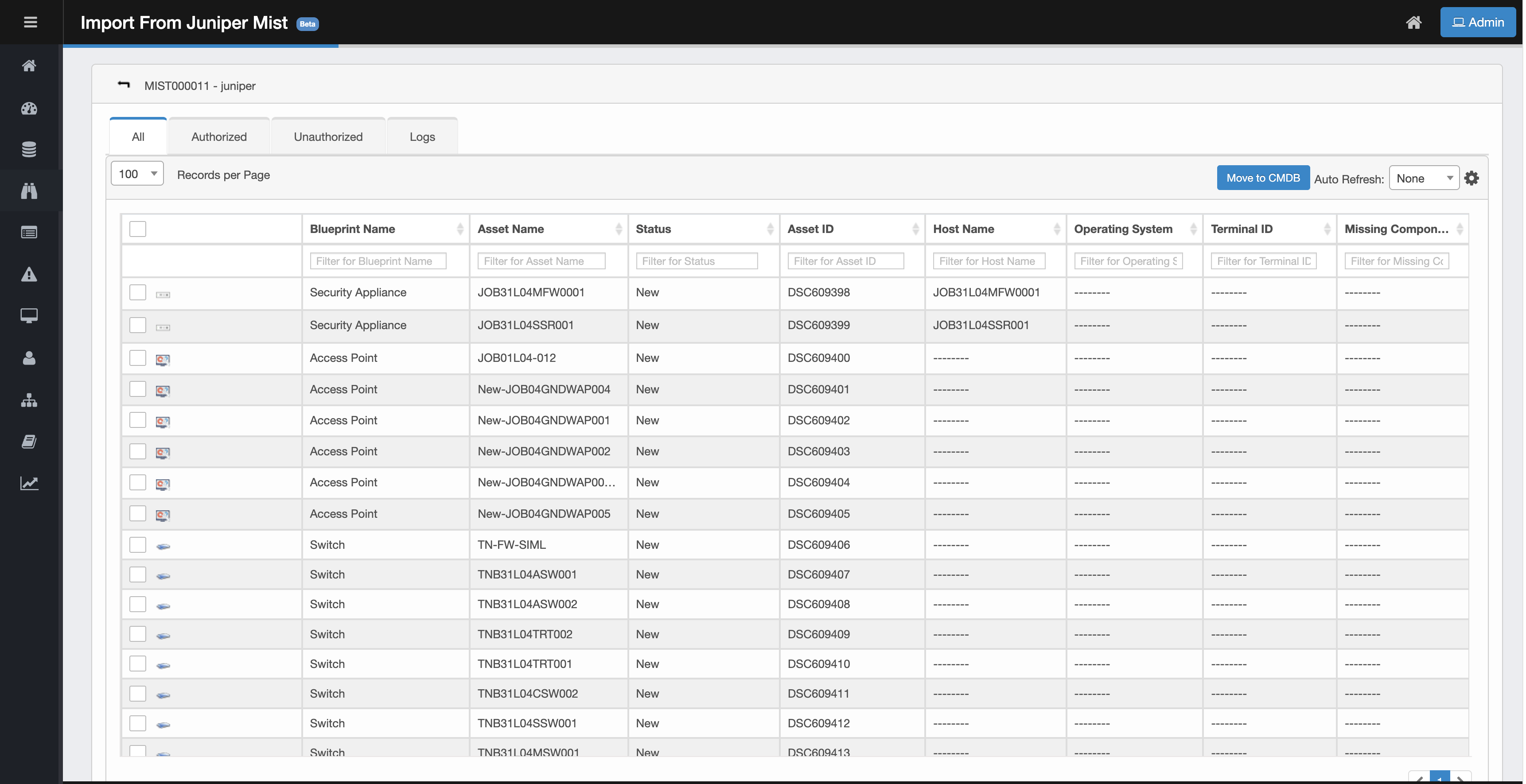
Common Controls (Top-Right of the Grid)
-
Move to CMDB. Promote selected records to the CMDB. See Move Items to the CMDB.
-
Auto Refresh. Refresh the grid at a set interval. Useful while an import or a Move to CMDB operation is in progress.
The grid supports a column selector and column sorting. See Key Columns. Display settings persist for the session.
Related Topics