Jira Credentials
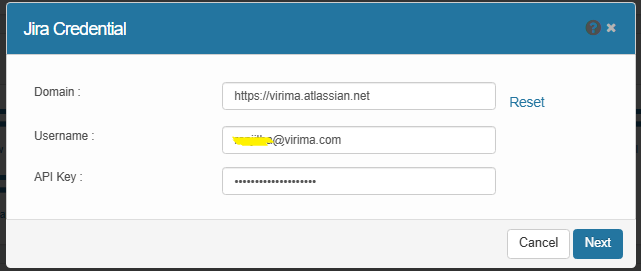
Use this function to specify the credentials for the Jira domain.
|
1.
|
In the main window, click Admin > Integrations > Jira Credentials. |
|
2.
|
Enter a Username, the applicable Domain and API Key. |
Asset Management – Sync Virima metadata into Jira Assets (CMDB).
Service Management – Sync Jira Incidents and Changes into Virima.
|
6.
|
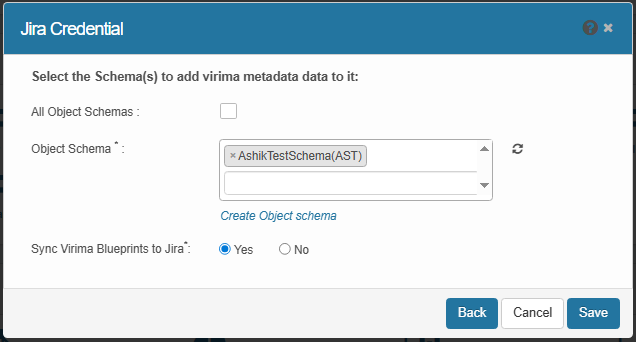
Asset management setup:
|
Choose specific object schemas from the dropdown or select All Object Schemas to include all available schemas.
Select Yes to sync Virima Blueprints into Jira schemas. No to skip.
|
7.
|
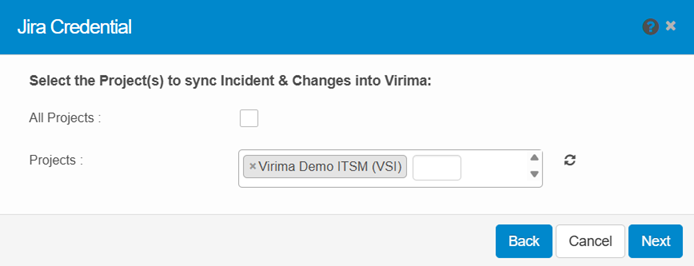
Service management setup:
|
Select All Projects or choose specific projects from the dropdown. Click Next.
|
8.
|
Select All incident type issues or choose specific types. |
|
9.
|
Select Incident type issues, choose how to retrieve issues by clicking Assets or Custom (link Asset Name to Jira incidents or map properties), and click Next.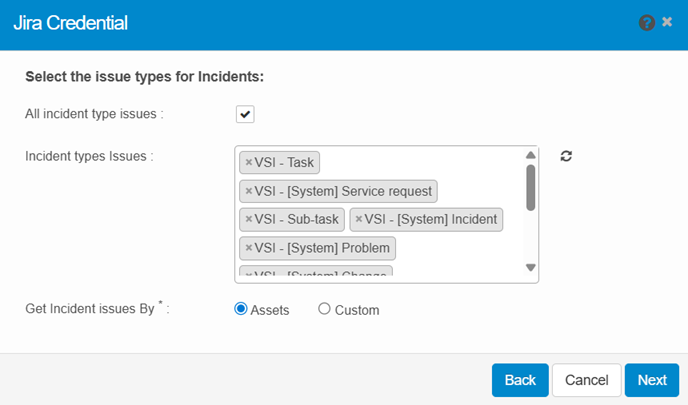 |
|
10.
|
Select All change type issues or choose specific types. |
|
11.
|
Select Change types issues, choose how to retrieve change issues by clicking Assets or Custom (link Asset Name to Jira changes or map properties), and click Save.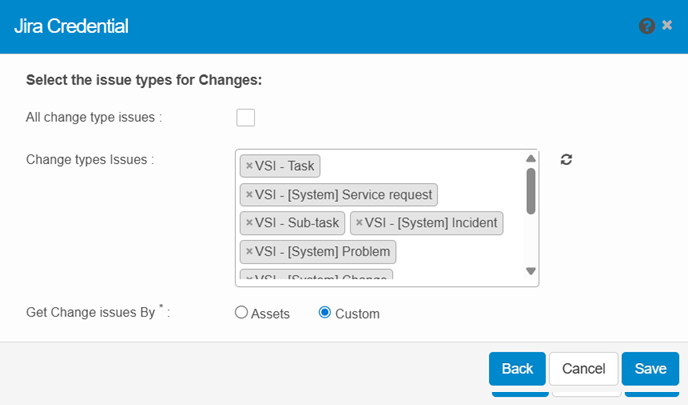 |
|
12.
|
A popup will confirm the process. You will receive an email notification once it finishes. Select Yes to confirm. |
Related Topics
Create Object Schema
Jira Mappings