App Configuration
Use this function as a centralized location for modifying application-specific settings for the Discovery Application, separate from the client authentication details managed on the Auth Configuration screen.
-
Open the Virima Discovery Application.
-
Go to Settings > App Configuration.
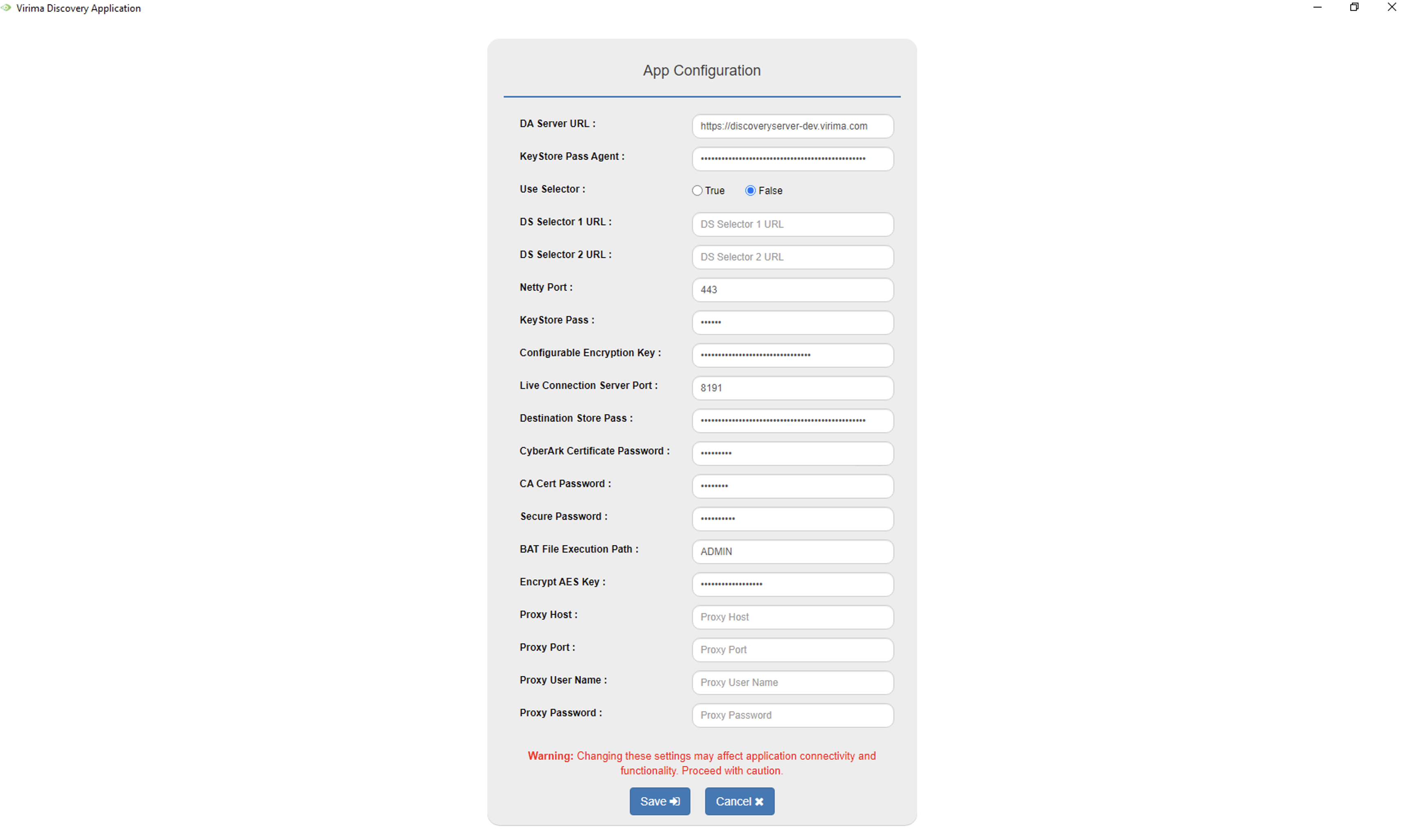
The following settings are available:
-
DA Server URL: The URL of the Discovery Application server.
-
KeyStore Pass Agent: Keystore password used for the agent connection.
-
Use Selector: Set to True to route this Discovery Application through the DS Selector URLs below, or False to use the DA Server URL directly.
-
DS Selector 1 URL and DS Selector 2 URL: Discovery Server selector URLs, used when Use Selector is set to True.
-
Netty Port: The port used for the Netty-based connection.
-
KeyStore Pass: Keystore password for the Discovery Application.
-
Configurable Encryption Key: Encryption key used for locally stored configuration values.
-
Live Connection Server Port: The port used for the live connection to the Discovery Application.
-
Destination Store Pass: Password for the destination certificate store.
-
CyberArk Certificate Password: Password for the CyberArk integration certificate.
-
CA Cert Password: Password for the CA certificate.
-
Secure Password: Secure password used by the Discovery Application.
-
BAT File Execution Path: The path used to execute batch (.bat) files.
-
Encrypt AES Key: AES key used for encryption.
-
Proxy Host, Proxy Port, Proxy User Name, and Proxy Password: Connection details for the HTTP proxy the Discovery Application uses to reach the internet, if applicable.
| Changing these settings may affect application connectivity and functionality. Proceed with caution, and contact Virima Support before changing a setting you are unsure about. |
-
Click Save to apply the changes, or Cancel to discard them.
Related Topics