Creating a new support request
The Support page allows you to create new support requests directly from the main interface. A guided form captures the details needed by the support team.
-
Open the Support page.
-
Click Support in the header navigation if you are not already on the Support page.
-
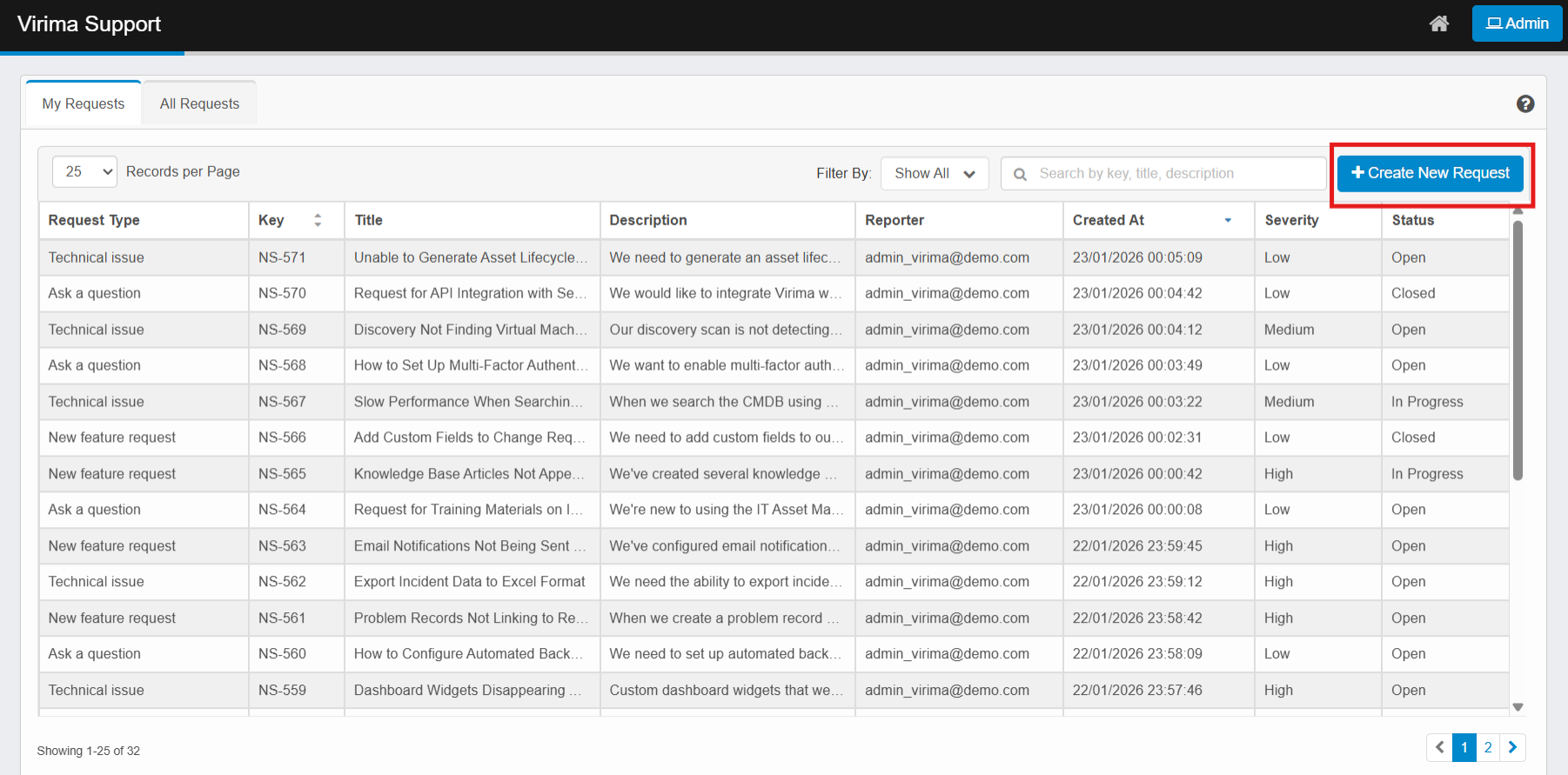
Click + Create New Request in the upper-right area of the page. The Create New Request form appears.
-
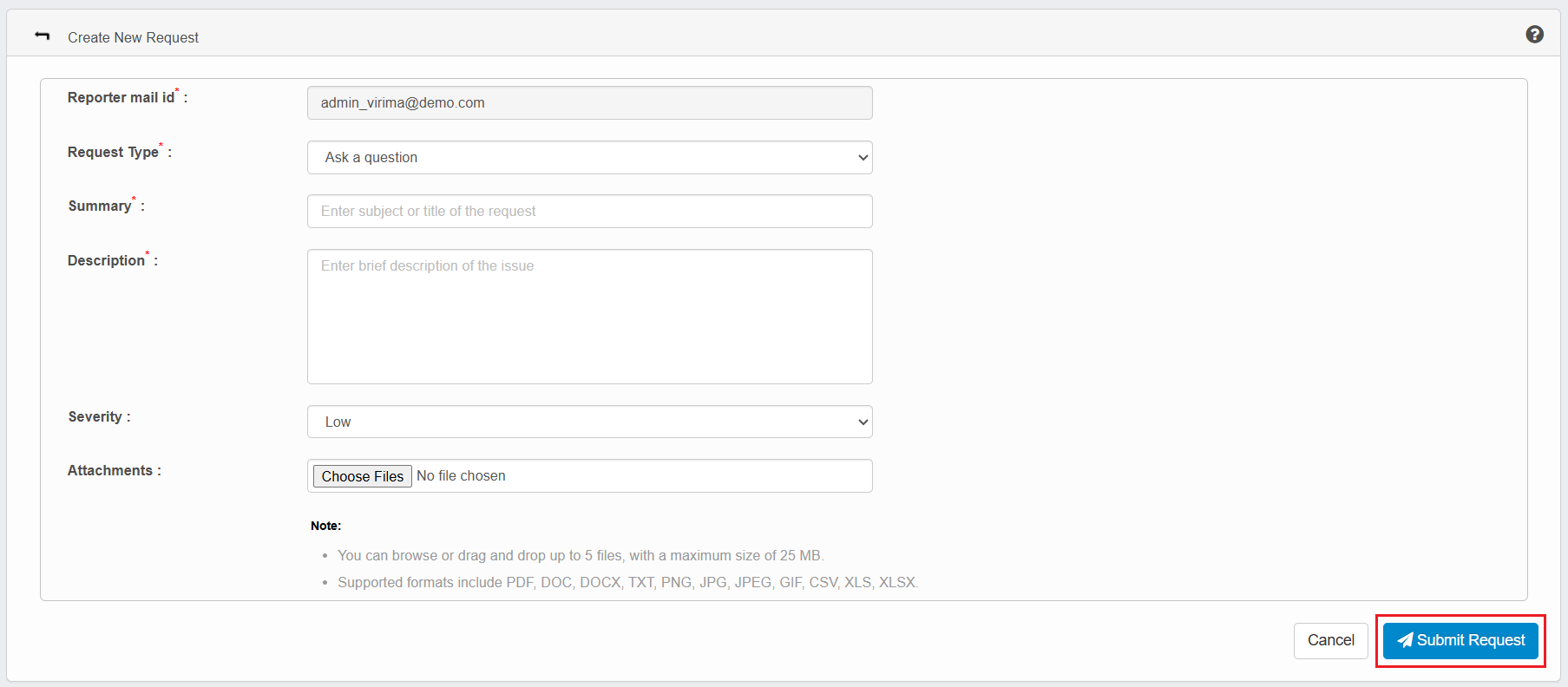
In the Reporter mail id field, view the email address of the person reporting the issue. This field may be pre-populated and not editable. This field is required.
-
In the Request Type drop-down list, select the appropriate category for the request. Available options are Ask a question, New feature request, and Technical issue. This field is required.
-
In the Summary field, enter a short subject or title for the request.
-
This field is required.
-
Maximum length: 255 characters.
-
-
In the Description field, enter a brief description of the issue, question, or request.
-
This field is required.
-
Maximum length: 5000 characters.
-
-
In the Severity drop-down list, select the appropriate priority level based on the business impact or urgency of the reported issue. Available options are Low, Medium, High, and Blocker. The default value is Low, which is preselected for new requests, but you can change it before submitting.
-
In the Attachments section, click Choose files to upload supporting files.
Note:-
You can browse or drag and drop up to 5 files, with a maximum size of 25 MB.
-
When creating a request or adding comments, only specific file formats are allowed for attachments. The following tables list supported and unsupported formats.
Supported formats
Category Formats Documents PDF, DOC, DOCX, TXT Images PNG, JPG, JPEG, GIF Spreadsheets CSV, XLS, XLSX Not supported (rejected)
Category Formats Executables / Scripts EXE, BAT Archives ZIP, RAR Media MP4, MP3 Presentations PPTX Web / Code HTML, JS
-
-
Click Submit Request to create the request or click Cancel to cancel the request. The request is created with an Open status and appears in the My Requests tab.