Subnets
|
This function is only available with certain asset types. Therefore, the relevant tab may not be displayed. |
| 1. | In the main window, select ITSM > Configuration Management > CMDB. |
| 2. | Search for and select the applicable asset record. |
| 3. | When the asset record window displays, click the Components tab. |
| 4. | Click Subnets. |
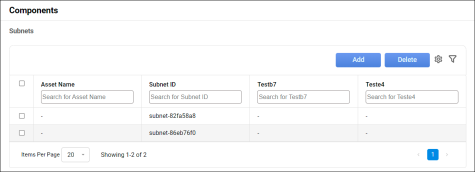

 Add Subnet
| 1. | Click Add. The Subnet dialog box displays. |
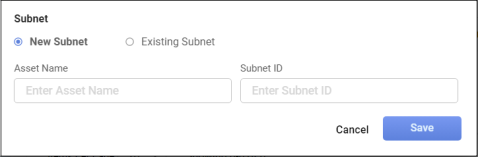
| 2. | Click New Subnet (if not already selected). |
| 3. | Enter the applicable information in each field. |
| 4. | When all entries are made, click Save. |
Edit Subnet
| 1. | Click Existing Subnet. |
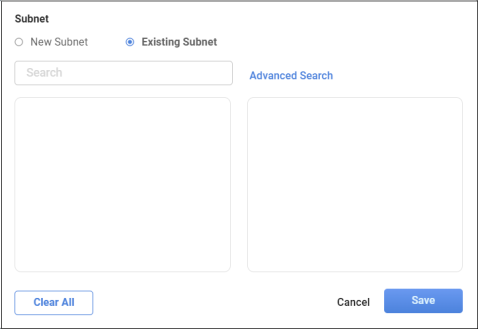
| 2. | Enter the search criteria to locate the existing device. |
| 3. | Select the applicable device from the results list. |
| 4. | When all selections/entries are made, click Save. |
Delete Subnet
| Deleting is a permanent action and cannot be undone. Deleting may affect other functionality and information in the application such as data in configured reports, fields in windows, selectable options, etc. Therefore, be sure to understand the potential effects before making a deletion. |
While viewing the list of existing records, select a record(s) to delete, and click the Delete button.
Other Functions and Page Elements