Edit Vendor Management
This feature enables editing the configured values of the existing contract, and update, and then save the same in the application.
| 1. | Click to open required Vendor Management. The Edit vendor Management displays. |
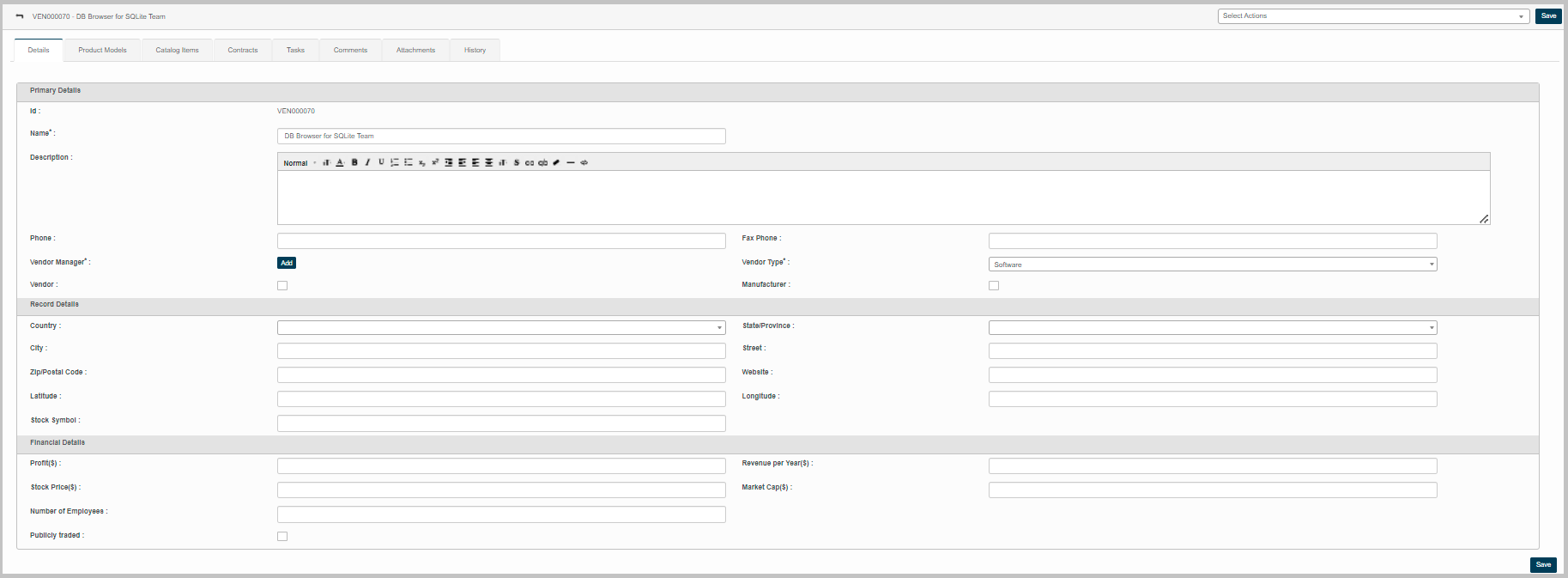
The Edit Contract Management displays following information:
Details
Product Models
Catalog Items
Contracts
Tasks
Comments
Attachment
History
Details:
This tab enables to edit the following parameters:
Primary Details
Record Details
Financial Details
Product Models:
This feature enables to update of product details manufactured by the corresponding application.
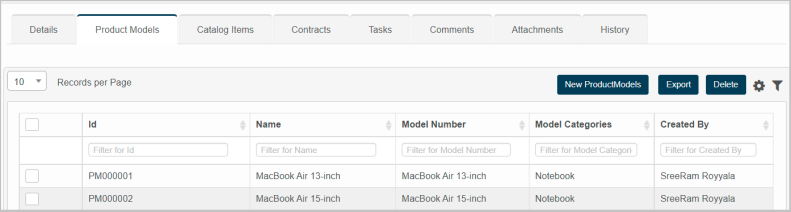
New Product Model:

| 1. | Enter the name of the product manufactured by the vendor in the Name box. |
| 2. | Enter unique numerical code provided for the product in the Model Number box. |
| 3. | Enter the name of the product category in the Model Categories box. |
| 4. | Click Add to update the product details in the application. |
| 5. | Click Cancel to discard the actions, and in continuation no product details will be updated in the application. |