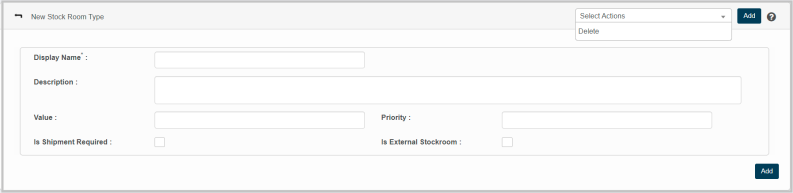
New Stockroom Type
This feature enables to creation new stockroom type with its details in the application.
|
1.
|
Choose New Stockroom Type option from Select Actions drop down. The New Stockroom Type page displays. |
|
2.
|
Enter a name to identify the stockroom Type in the Display Name box. |
|
3.
|
Enter necessary information/definition of the corresponding Stockroom Type in the Description box. |
|
4.
|
Enter the value (price) of the stockroom type in the Value box. |
|
5.
|
Enter the priority of the stockroom type in the Priority box. |
|
6.
|
Check “Is Shipment Required” if the corresponding stockroom type require shipping to other location. |
|
7.
|
Check “Is External Stockroom” if the corresponding stockroom is from an external vendor/place. |
|
8.
|
Click Add to update Stockroom Type in the application. |