New Asset License Entitlement
This feature enables to configure license entitlement details in the application.
|
1.
|
Choose New Asset License Entitlements from the Select Actions drop-down. The New Asset License Entitlements window displayeds. |
|
2.
|
Enter a text/name to be displayed for the license entitled machine in the Display Name box. |
|
3.
|
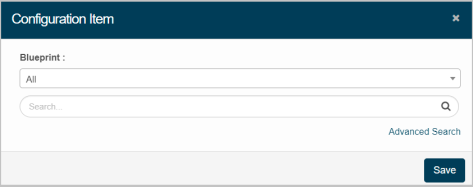
Click Add to select the CI to assign the license. The Configuration Item dialog box displays. |
|
4.
|
Select the required blueprint from the given drop-down. |
|
5.
|
Enter the search criteria, and then click search icon. |
The results are displayed based on the search criteria:
|
1.
|
Select the required CI, and then click Save. |
|
2.
|
Click Cancel to discard the action, and in continuation, no CI will be updated in the application. |