Deleting a Scan Schedule
-
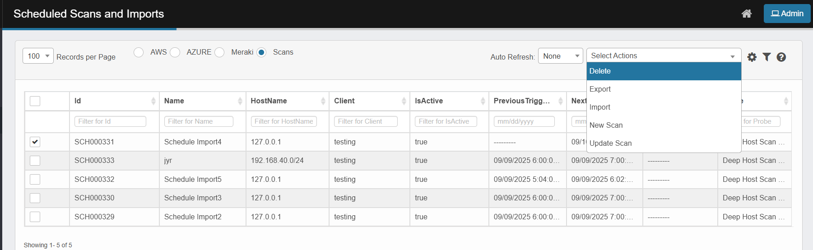
Tick the checkbox(es) for the job(s) to remove.
-
Click Select Actions → Delete.
-
In the Delete Confirmation dialog, type Delete exactly, then click Delete.
-
No scans will be executed from the point of delete
-
If an active scan is currently running, The scan will complete.
-
Scan details or its history will not be accessible