Deleting AZURE Record
-
Deletes the currently selected imported AZURE record.
-
From the Select Actions drop-down list, choose Delete.
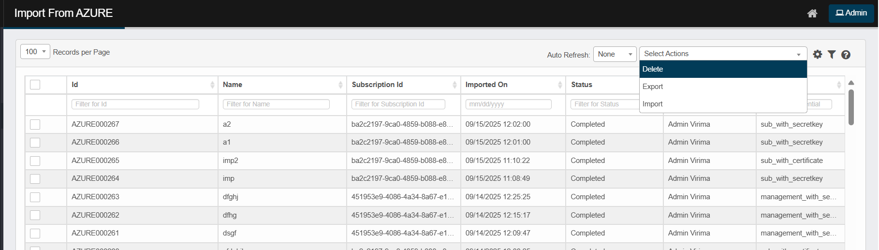
-
Confirm the deletion and click Delete.
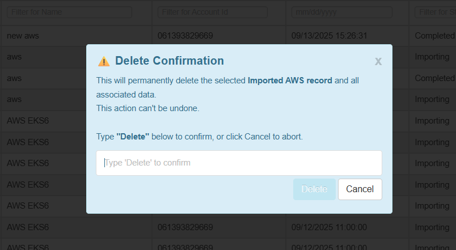
-
Deleting an item is permanent and cannot be undone. Understand the potential effects before deleting an item.
-
Deleting an imported Azure Import run will remove all corresponding discovered items from both the Import from Azure page and the Discovered Items page.
-
If any discovered items from the selected Azure Import run have already been moved to the CMDB, those records will not be deleted—they will remain in the CMDB but will no longer appear in the Import from Azure or Discovered Items pages.