Import AWS Record
Use this function to import the required AWS resources into the Discovery application.
-
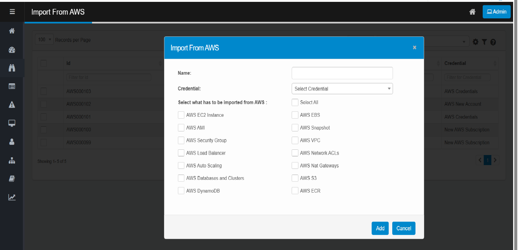
From the Select Actions drop-down list, choose Import. The Import From AWS dialog box displays.
-
In the Name field, enter a name for the import action.
-
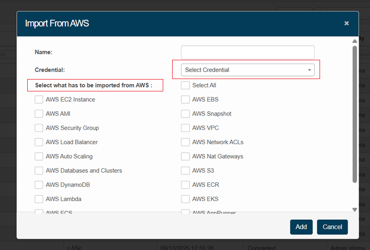
In the Credential field, click the drop-down list and select the appropriate credential to access the AWS service.
-
If no credentials are listed in the dropdown, add credentials by navigating to Admin > Discovery > Credentials.
-
-
Select all required services to be imported from the listed AWS services.
-
Click Add to import the AWS services to virima.
-
User will be redirected to the import from AWS page, where the new import record will be shown with the Status as “Importing”.
-
Once the status is “Completed", Click on the imported record to view the imported AWS resources.
-
To view the details of the CI, click on the CI. This redirects you to the discovered item page, where you can view the imported CI details.
-
If you do not have the necessary permissions to import—such as lacking access to authenticate with a certificate or Secret Key —the system will display an error message:
"Please check your AWS credentials."