Exporting AWS Records
Exports data for the selected imported AWS record as an Excel spreadsheet and sends an email notification when the spreadsheet is ready for download.
-
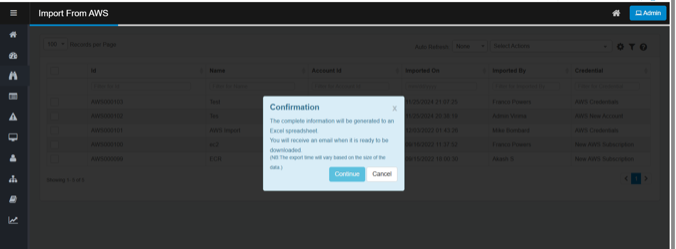
From the Select Actions drop-down list, choose Export.
-
Click Continue.
-
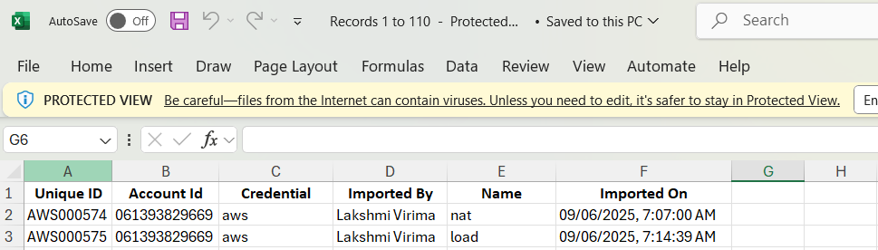
The system downloads an Excel (.xlsx) file of the list with the details,
-
Unique ID – The Virima import record ID (e.g., AWS000578).
-
Account Id – The "Account Id" column displays the value entered for any credential type (Account Id, Organization Unit Id, or Root Id).
-
Credential – The credential set used (e.g., aws, AWS_ACCOUNT).
-
Imported By – The user who initiated the import (e.g., Admin Virima).
-
Manual Import: The logged-in user who initiated a manual import.
-
Scheduled Import: The logged-in user who initiated a scheduled import.
-
-
Name – The AWS service or resource type imported (e.g., nat, load, AWS Batch, ECS, AWS EKS6).
-
Imported On – The timestamp when that record was imported (as displayed in the UI).
-