Viewing Intune Import Record
Use this function to view the imported Intune resources
-
Select an import record to open its details.
-
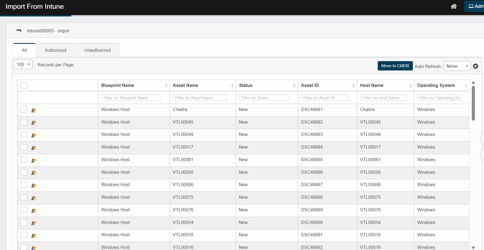
Report window displays imported CI(s) in these categories:
-
All
-
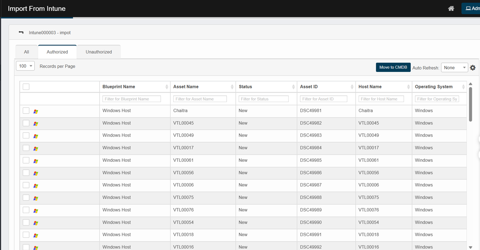
Authorized
-
Unauthorized
-
-
All – Every resource returned by the import.
-
Authorized – Assets that are already present in the CMDB.
-
Unauthorized – New assets not yet listed in the CMDB.
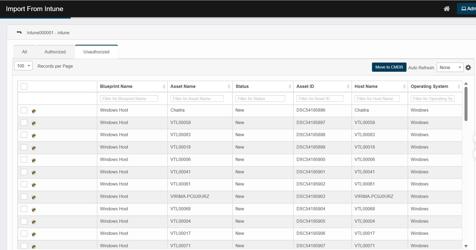
Common controls (top-right of the grid)
-
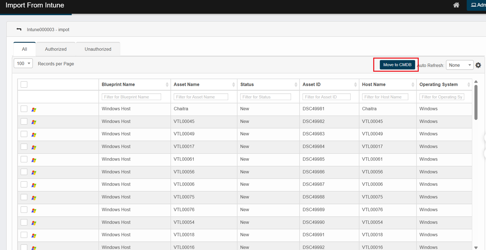
Move to CMDB – Promote the selected records to CMDB (Refer Move to CMDB).
-
Auto Refresh – Refresh the grid on set periodic interval. Use this when import is still in progress so that the imported items show up without manual refresh.
Key columns
-
Blueprint Name – The discovery blueprint that matched the resource (e.g., Intune Virtual Network, Intune Neo4j)
-
Asset Name – The discovered resource name (cluster/service/task/instance, etc.).
-
The asset name is the Intune instance ID.
-
-
Status: Indicates the current state of the CI imported from Intune. When a CI is newly imported (does not exist in CMDB), the status is shown as "New."
-
Asset ID: A unique, sequential identification number assigned to each discovered Intune record. The ID shall have a prefix “DSC”+ 6 digits Unique sequential number.
-
Host Name: The host or endpoint name captured by discovery.
Users can select which columns to display when importing Intune and sort the grid by any column.
Move items to the CMDB
After importing Intune data, promote it to the CMDB.
-
In All, Authorized or Unauthorized, select one or more rows.
-
Click Move to CMDB.
-
In the confirmation dialog, click Continue.
The move job runs in the background—no further action is required. Use Auto Refresh to watch status changes.
Tip: If no rows are selected, your environment will move all records that match the current filters. If you want to limit scope, always select the exact rows to move.
-
Upon successful move to CMDB, the records will be deleted from “Import from Intune” and “Discovered Items” View.