Sync (Instant and Scheduled)
Use this function to plan, track, and manage information related to IP addresses in the monitored network.
-
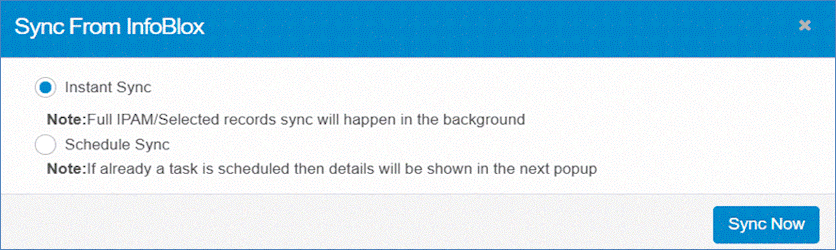
In the IPAM Networks window, click Sync. The Sync from Infoblox window will display.
-
Select Sync Type:
-
Instant Sync: Click to immediately import records from the Infoblox server.
-
Schedule Sync: Choose this option to import records at a scheduled time.
-
In the Schedule Report Frequency drop-down list, select the desired frequency.
-
Select one or more options based on the schedule: Second, Minute, Hour, Day, Month, Weekday.
-
Click Add to confirm the scheduling details.
-
-
-
Click Sync Now to execute the operation and sync records immediately.