Move to CMDB
-
Select one or more checkboxes
-
Click on Select Actions and then Select Move to CMDB.
-
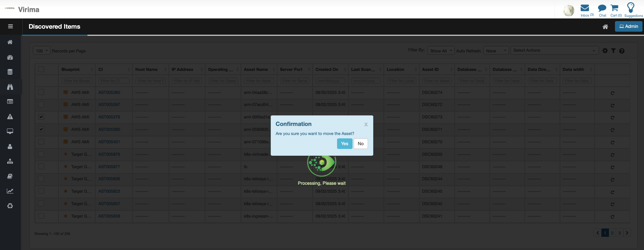
A confirmation pop up as below is displayed
-
Click Yes to move the asset to CMDB
-
Asset will be “greyed out” in Discovered Items list indicating the move is in progress and a spinner is shown to indicate move is in process
-
Once moved, asset is removed from Discovered items and will appear in CMDB
-
-
Click No to retain the asset in Discovered Items and move it later
-