Accessing Discovered Items
-
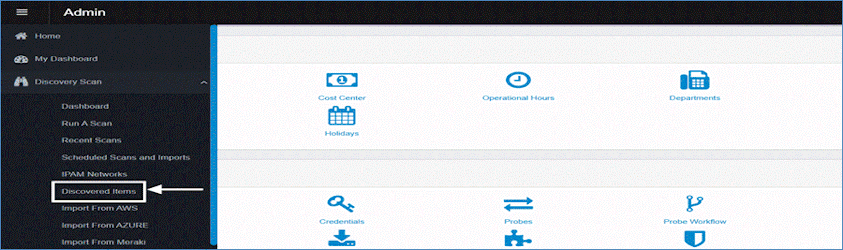
In the navigation pane, select Discovery Scan > Discovered Items.
-
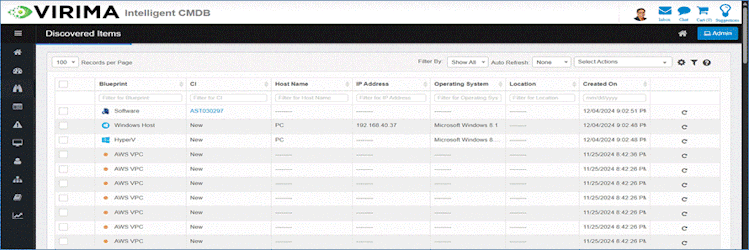
The Discovered Items window will display.
-
Blueprint
-
Type or category of the discovered item.
-
-
CI (Configuration Item)
-
Displays the existing CI ID if the asset is already in the CMDB; otherwise, shows "New".
-
-
Host Name
-
Name of the system or device detected during the scan.
-
-
IP Address
-
Network IP address assigned to the device or host.
-
-
Operating System
-
Operating system running on the host device.
-
-
Location
-
Geographical or logical location of the asset.
-
-
Created On
-
Timestamp when the item added to the Discovered Items list.
-