Adding Contents
-
Click the Add Contents button.
-
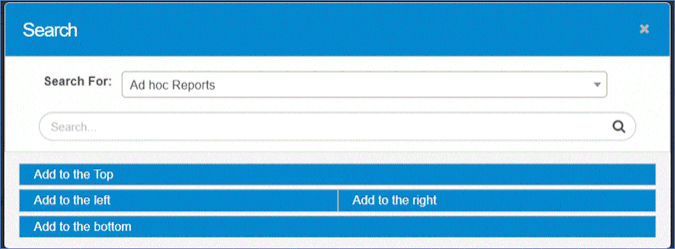
In the Search window, locate and select available dashboard reports.
-
If a text field appears:
-
Enter your search criteria and click the Search icon.
-
Choose a report by clicking the radio button next to it or modify your criteria and search again.
-
-
Choose where you want the report to appear on the dashboard. For example, selecting Add to the Top will place the report above all existing content.
Example Report Types
-
Ad hoc Reports
-
KPIs
-
DC Migration Metrics
-
Discovered Assets Based on Blueprints
-
Discovered Items by Date and Type
-
Infrastructure Summary
-
Master Asset List
-
Windows by OS Type
This is not a complete list, these are just a few examples.