Accessing the Azure AD User Import Logs
-
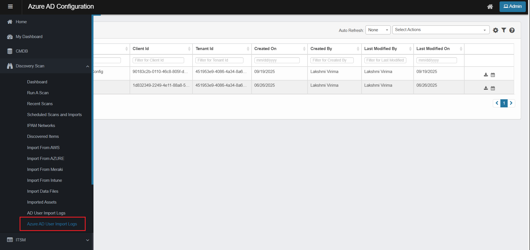
From the left navigation pane, go to Discovery Scan > Azure AD User Import Logs.
-
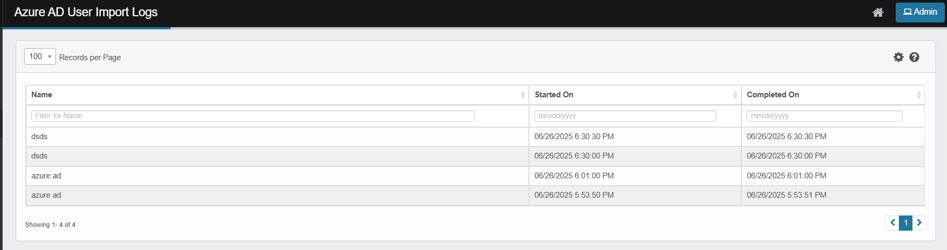
The AD User Import Logs page opens.
-
This shows a list of records.
-
Key Information displayed:
-
Name – The name used to identify the import (for example, Azure AD).
-
Started On – The date and time the import process began.
-
Completed On – The date and time the import process completed.
-
-
-
Use the filter fields at the top of each column to search by name or narrow results by date range.