Customizing Columns
-
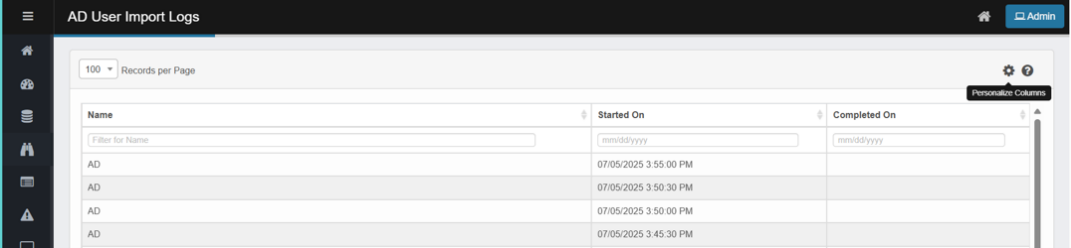
In the AD User Import Logs page, click the Personalize Column icon in the top-right corner.
-
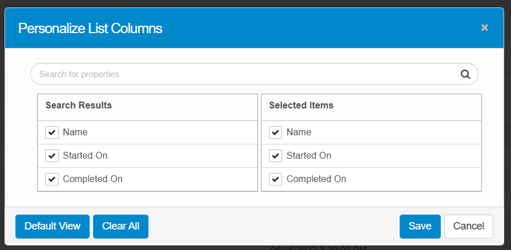
The Personalize List Columns window will appear.
-
The left panel shows available fields.
-
The right panel shows currently displayed fields.
-
-
Check or uncheck fields as needed.
-
Click Save to apply changes.
-
Default View resets columns to system default.
-
Clear All removes all selections for a fresh start.
-