Relationships
The Relationships tab in the CMDB allows users to view, manage, and establish connections between a selected Configuration Item (CI) and other assets. These relationships illustrate how one CI depends on, communicates with, or hosts another, providing insight into infrastructure and service dependencies.
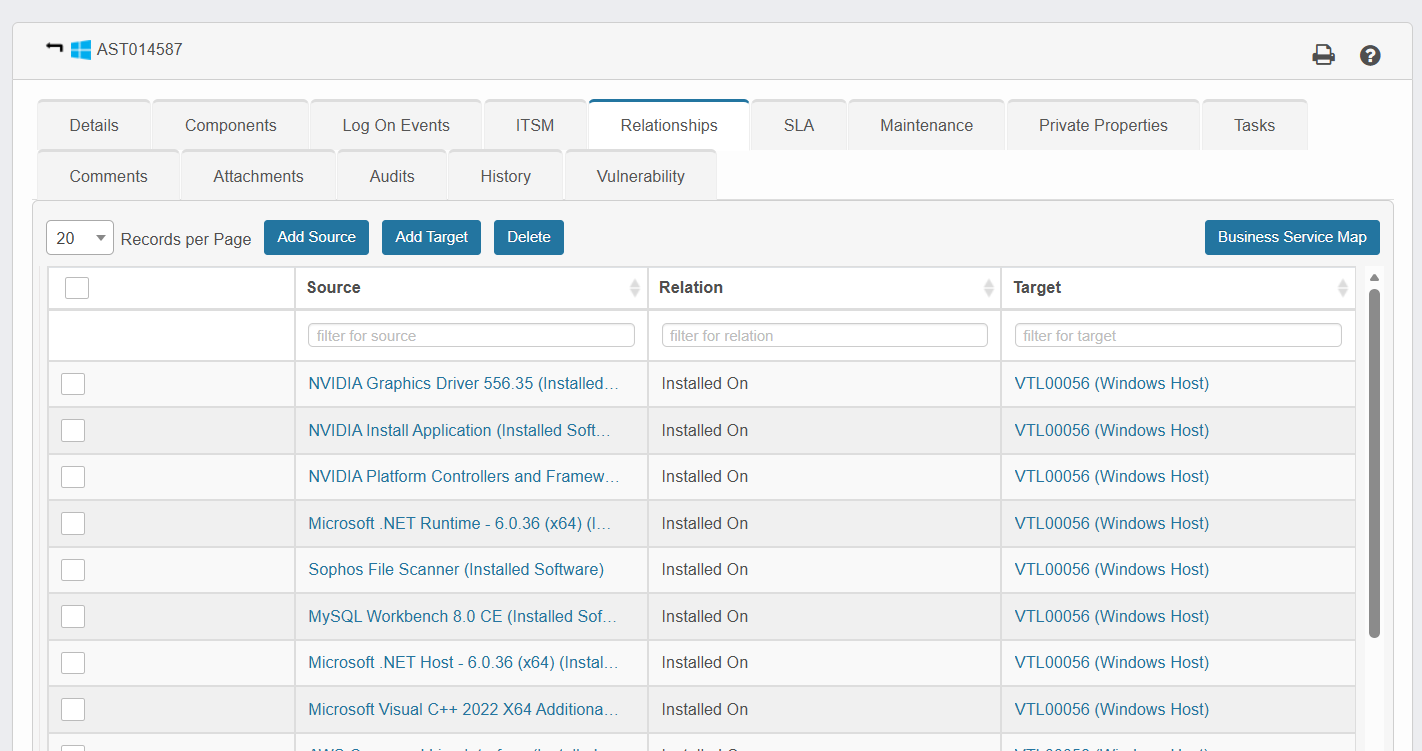
What it does:
The Virima Discovery application automatically detects relationship types, including:
-
Installed On
-
Component Of
-
Runs On
-
Connected To
-
Communicates With
-
Physically Connected To
-
Used By
-
Attaches
These relationships are essential for dependency mapping, impact analysis, and visualizing business services.
How to use the Relationships tab:
-
Go to ITSM > Configuration Management > CMDB.
-
Select a Configuration Item record. The Details tab opens by default.
-
Click on the Relationships tab to view existing relationships for that CI.
-
You can perform the following actions:
a) Add Source: Create a new source relationship.
b) Add Target: Add a new target CI that the asset depends on.
c) Delete: Select a row and remove an unwanted relationship.
d) Business Service Map: Open a visual view of the relationships.
To add a relationship:
-
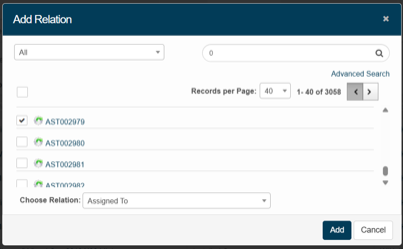
Click Add Source or Add Target.
-
In the Add Relation dialog:
a) Choose the asset (source or target).
b) Use the Search field to find the CI.
c) Select a relationship type from the Choose Relationship dropdown (e.g., Assigned To, Belongs To, Installed On).
-
Click Add to create the relationship.
Related reference:
For additional automation and background processes related to relationships, refer to the CMDB Process Jobs documentation.