Process Missing Components
The Process Missing Components action identifies and updates missing hardware or software component information for selected Configuration Items (CIs) in the CMDB. This ensures all required component details are recorded, improving CMDB completeness and accuracy.
To run the Process Missing Components job, scanned discovery data must be available in the CMDB. Without this data, missing component details cannot be identified accurately.
-
Open the CMDB module in Virima.
-
Select the CIs for which you want to identify missing components.
-
Click the Select Actions dropdown at the top-right of the CMDB list.
-
Choose Process Missing Components from the dropdown.
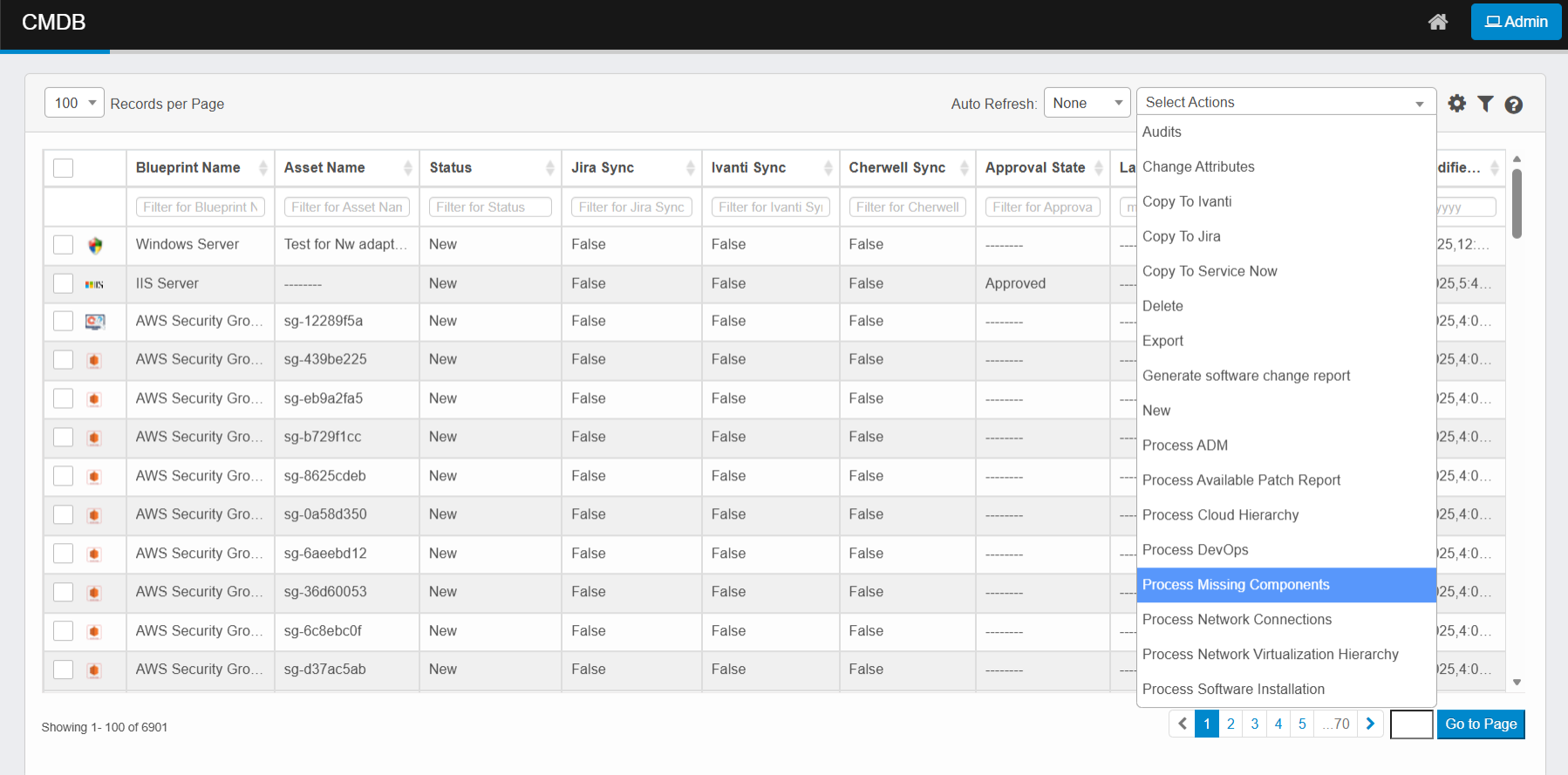
-
The system evaluates the selected CIs against expected component configurations.
-
It flags missing hardware or software details.
-
Missing component information is recorded in the CMDB.
-
Review results in the CI details or relevant CMDB reports.
-
Monitor progress and results via the Sync Logs page if processing runs in the background.