Process DevOps
The Process DevOps action processes selected Configuration Items (CIs) to identify, record, and update DevOps-related configuration and deployment details in the CMDB. It links CIs to relevant DevOps pipelines, repositories, environments, and automation scripts, enhancing visibility into CI/CD processes and operational dependencies.
To run the Process DevOps job, scanned discovery data must be available in the CMDB. Without this data, DevOps information cannot be processed accurately.
-
Open the CMDB module in Virima.
-
Select the CIs for which you want to process DevOps data.
-
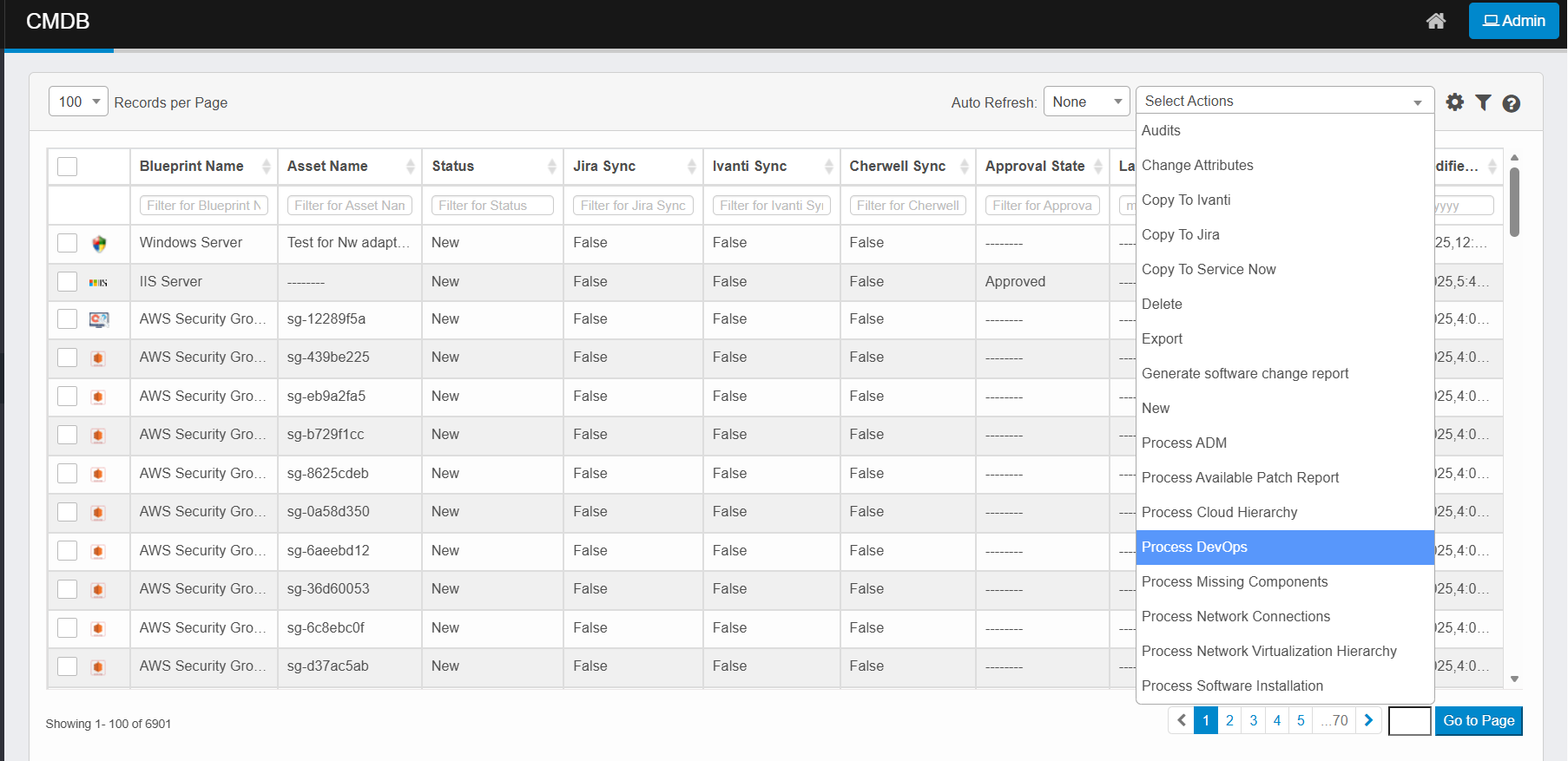
Click the Select Actions dropdown at the top-right of the CMDB list.
-
Choose Process DevOps from the dropdown.
-
The system fetches associated DevOps pipeline, repository, and environment data.
-
It maps this data to the selected CIs in the CMDB.
-
Updated DevOps relationships and metadata are stored in the CMDB.
-
Verify the processed data in the CI’s details or related DevOps views.
-
Track progress and results via the Sync Logs page if processing runs in the background.