Process ADM
The Process ADM action allows users to process Application Dependency Mapping (ADM) for selected Configuration Items (CIs). This operation analyzes network traffic, service dependencies, and application connections for the chosen assets, creating a visual and data-driven map of relationships between applications, services, and infrastructure components.
To run the Process ADM job, scanned discovery data must be available in the CMDB. Without this data, the ADM process cannot generate accurate dependency mappings.
-
Open the CMDB module in Virima.
-
Select the CIs for ADM processing.
-
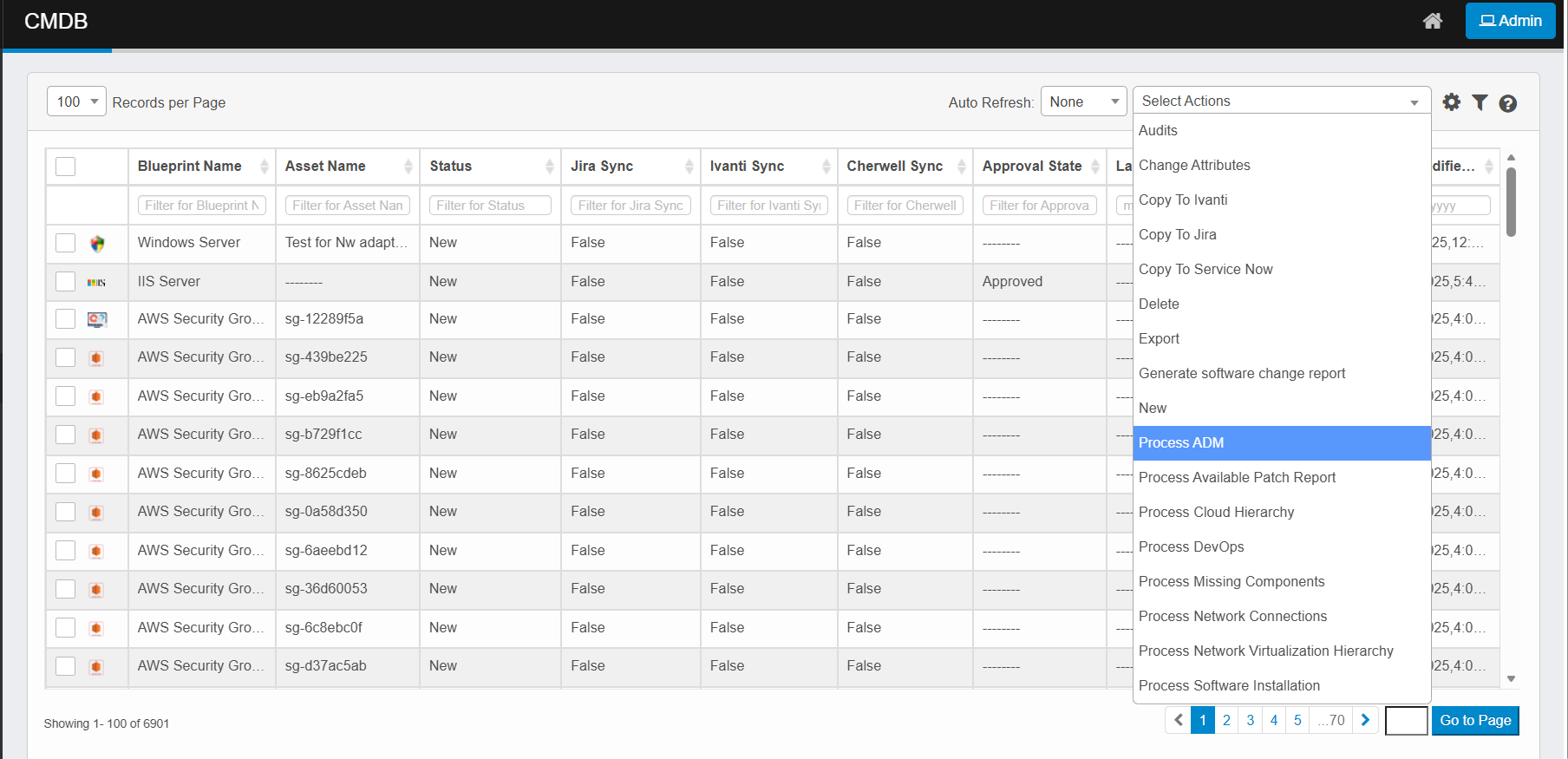
Click the Select Actions dropdown at the top-right of the CMDB list.
-
Choose Process ADM from the dropdown.
-
The system collects dependency data for the selected CIs.
-
It analyzes communication patterns, service relationships, and supporting infrastructure components.
-
Once processed, the ADM relationship data updates in the CMDB.
-
Monitor progress through the Sync Logs page.