Process Network Virtualization Hierarchy
The Process Network Virtualization Hierarchy action organizes and updates the hierarchical structure of VMware vCenter resources for selected Configuration Items (CIs). This process maps virtual machines, hosts, clusters, data stores, and networks into a structured vCenter hierarchy within the CMDB.
To run the Process Network Virtualization Hierarchy job, ensure that scanned discovery data is available in the CMDB. Without this data, the vCenter hierarchy cannot be generated accurately.
-
Open the CMDB module in Virima.
-
Select the CIs for which you want to identify vCenter resources.
-
Click the Select Actions dropdown at the top-right of the CMDB list.
-
Choose Process Network Virtualization Hierarchy from the dropdown.
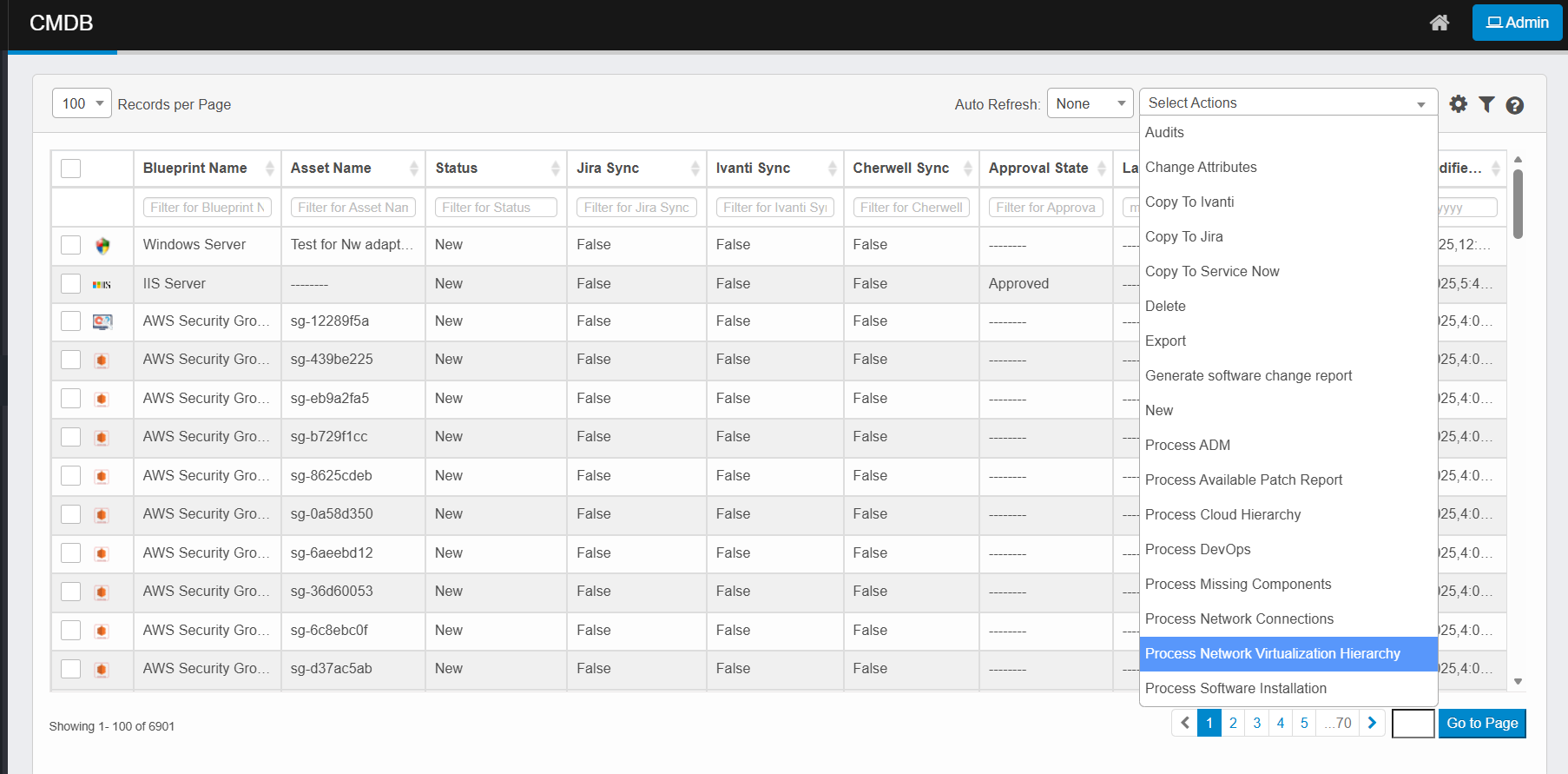
-
The system retrieves Network Virtualization resource relationships and structure for the selected CIs. It maps them into the correct hierarchy (e.g., data centers → clusters → hosts → VMs).
-
The updated Network Virtualization hierarchy is stored in the CMDB.
-
Review the structure in the Network Virtualization Hierarchy view or relevant virtualization dashboards.
-
Monitor progress and completion via the Sync Logs page if processing runs in the background.