New
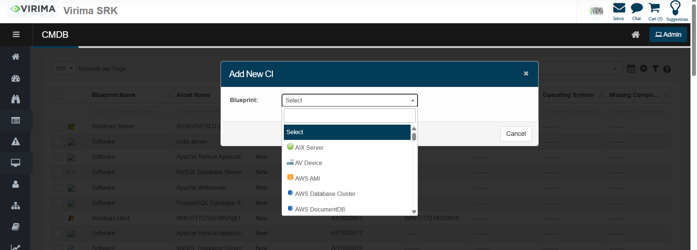
The New action is used to manually create a new CI entry in the CMDB.
-
Click the Select Actions dropdown at the top-right of the CMDB list.
-
Choose New from the dropdown.
-
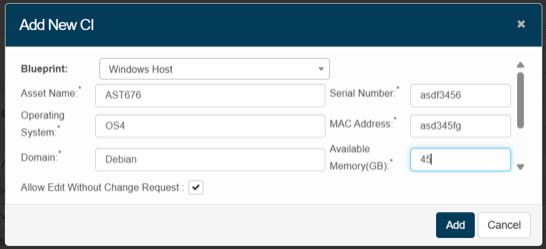
Users can define the CI type (based on a blueprint) and manually fill in its properties.
-
This is helpful when an asset isn't discovered automatically or needs to be added proactively.
-
The form will include fields like Asset Name, Host Name, Status, Serial Number, etc., based on the selected blueprint.
-
Enter the details, then click Add.
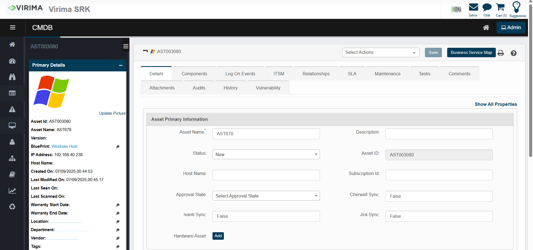
Great for creating standalone or exception assets not brought in through discovery or integrations.