Managing CMDB
The "Select Actions" dropdown in the CMDB allows users to perform various operations on selected Configuration Items (CIs).
These actions are available only after items are added to the CMDB (not while in the discovered state).
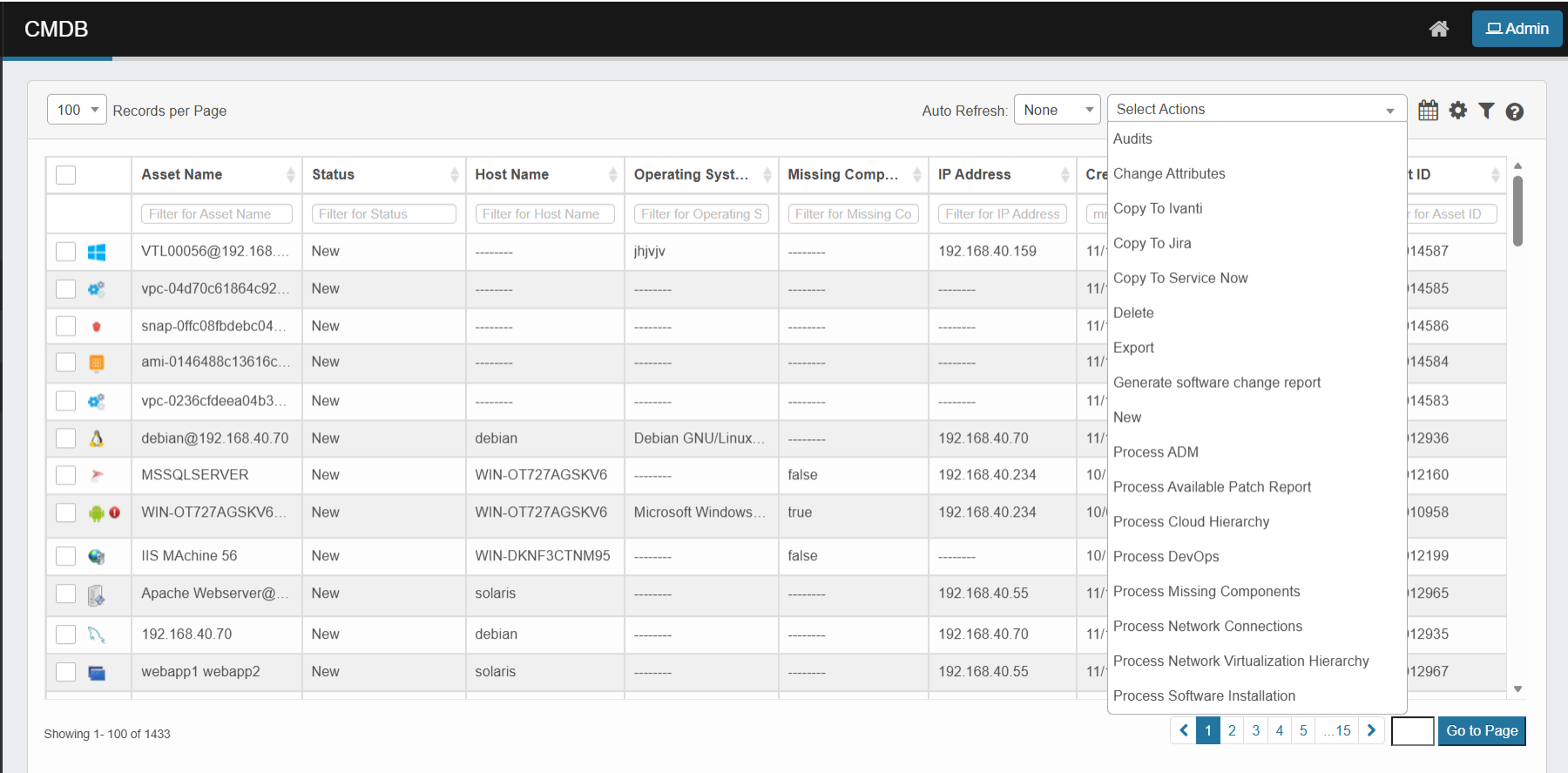
This menu provides tools to audit, update, process, or manage data related to selected CIs. Common actions include:
-
Audits
View the complete history of changes made to a CI for accountability and compliance. -
Change Attributes
Update CI details such as status, owner, or location. -
Copy to External Tools
-
Copy to Ivanti – Export selected CI data to Ivanti.
-
Copy to Jira – Send CI records to Jira for tracking.
-
Copy to ServiceNow – Sync CI data with ServiceNow ITSM.
-
-
Delete / Export / New
-
Delete – Remove a CI record from the CMDB.
-
Export – Download CI data for external reporting or analysis.
-
New – Add a new CI record manually.
-
-
Generate Installed Software Report
Create a report listing software installed on the selected CI. -
Process ADM (Application Dependency Mapping)
Automatically discover and map application dependencies and relationships. -
Process Available Patch Report
View pending updates and patches available for the CI. -
Process Cloud Hierarchy / DevOps / vCenter
Organize and map virtual and cloud-based infrastructure, including DevOps and VMware vCenter hierarchies. -
Process Missing Components
Identify and report expected but missing CI components. -
Process Network Connections
Map and analyze network links and communication paths related to the CI. -
Process Software Installation
Track, verify, and update software installations for the selected CI.