Copy to Ivanti
The Copy to Ivanti action transfers all CIs, components, and relationships from the CMDB to Ivanti. The system retrieves records, checks them against blueprint conditions on the Ivanti Mapping page, and maps data to Ivanti properties. Data is sent in the following order to maintain dependencies:
-
Main configuration items (CIs)
-
Relationships
-
Components
-
JSON components
-
Open the CMDB module in Virima.
-
Select the CIs from the CMDB list to copy to Ivanti.
-
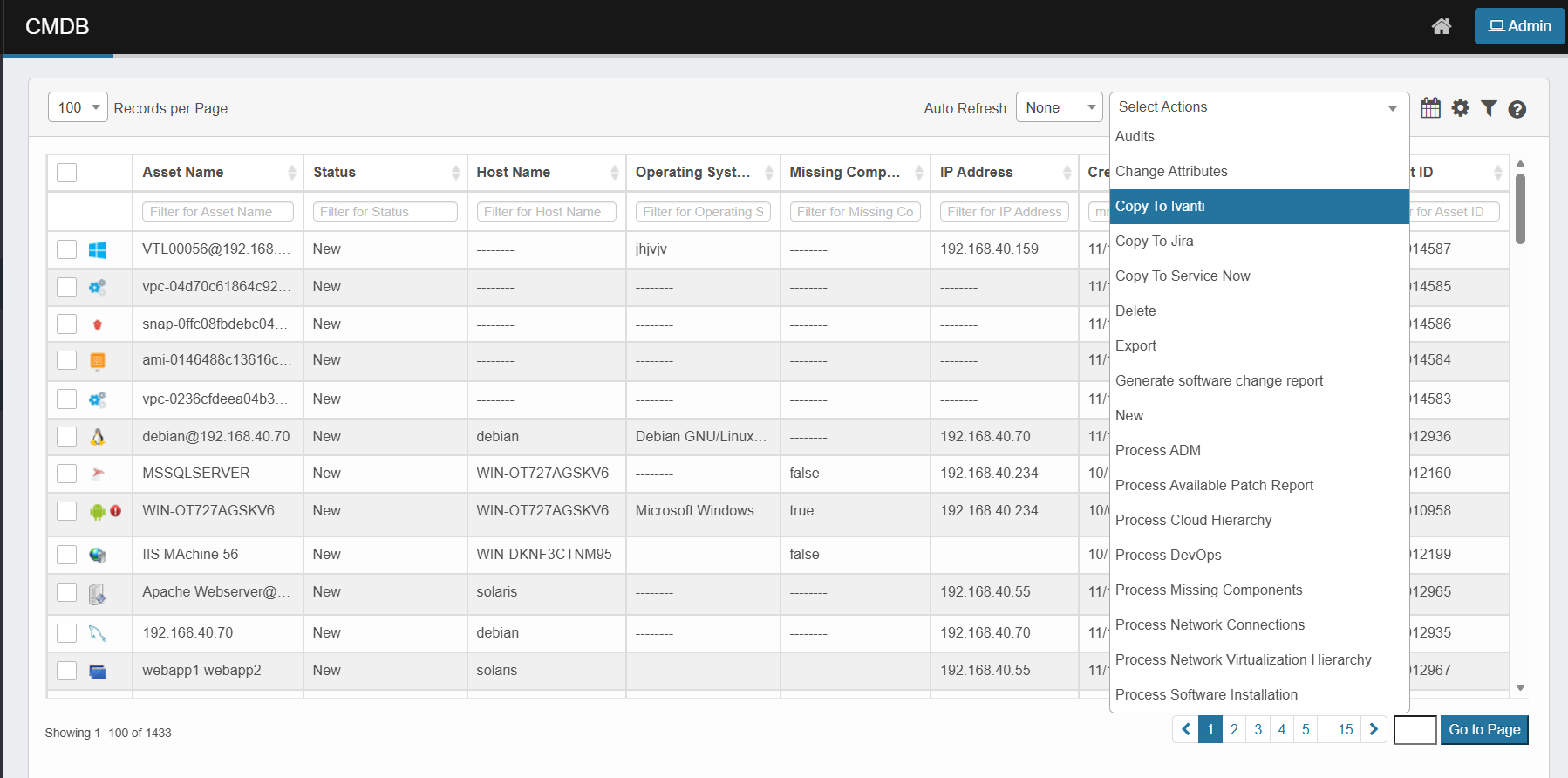
Click the Select Actions dropdown at the top-right of the CMDB list.
-
Choose Copy to Ivanti from the dropdown.
-
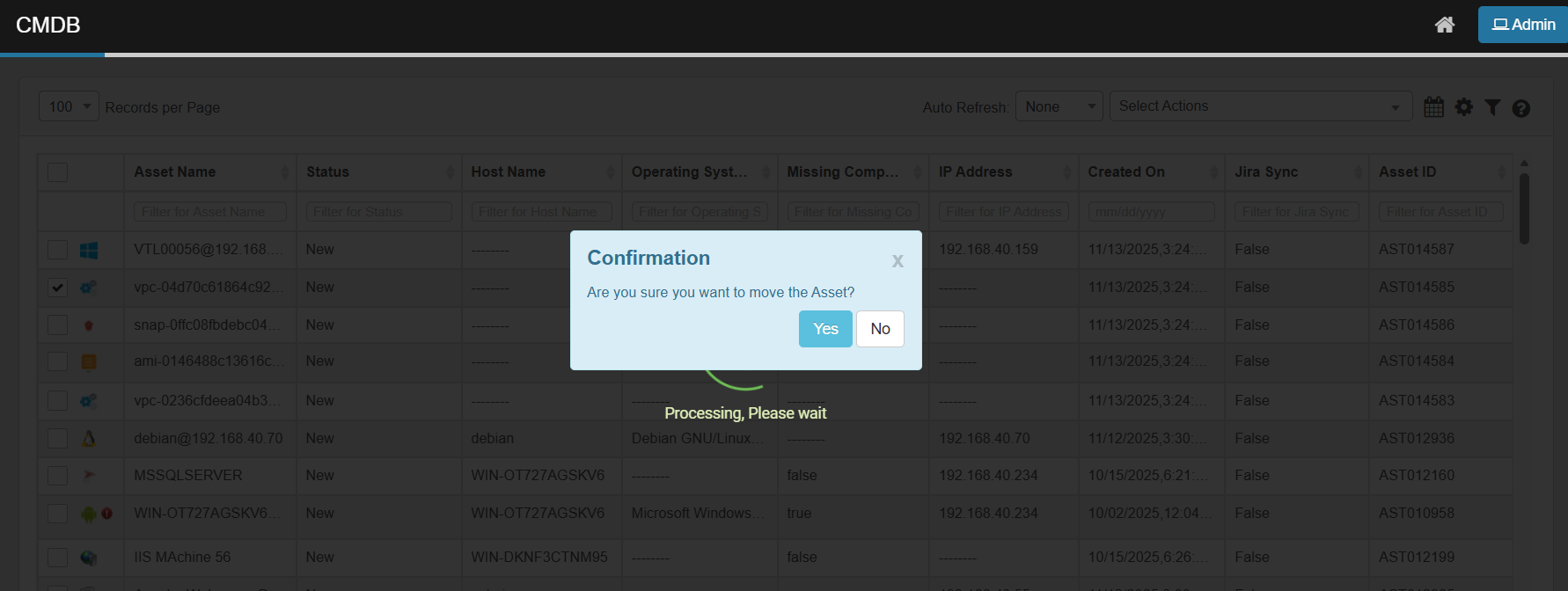
A confirmation dialog appears, asking, "Are you sure you want to move the Asset?"
-
Click Yes to proceed or No to cancel.
-
-
The system processes the selected records.
-
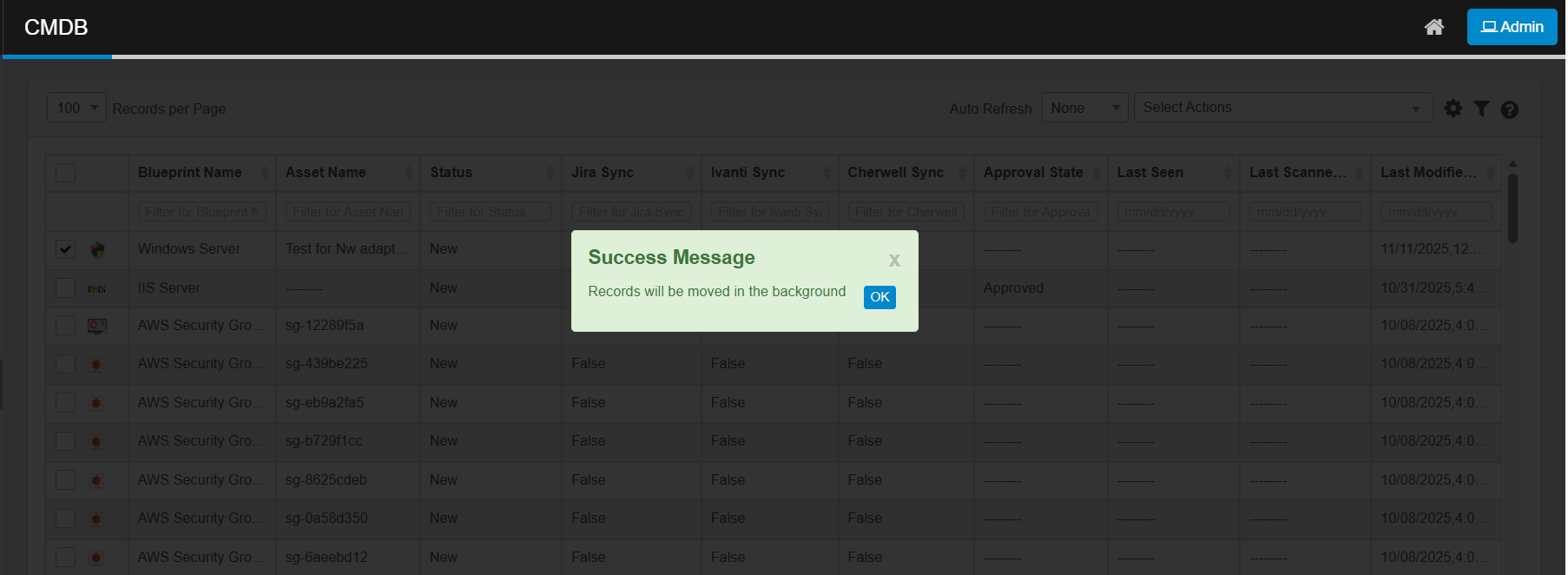
A success message appears: "Records will be moved in the background." Click OK to close the message.
-
Monitor progress and status on the Sync Logs page.