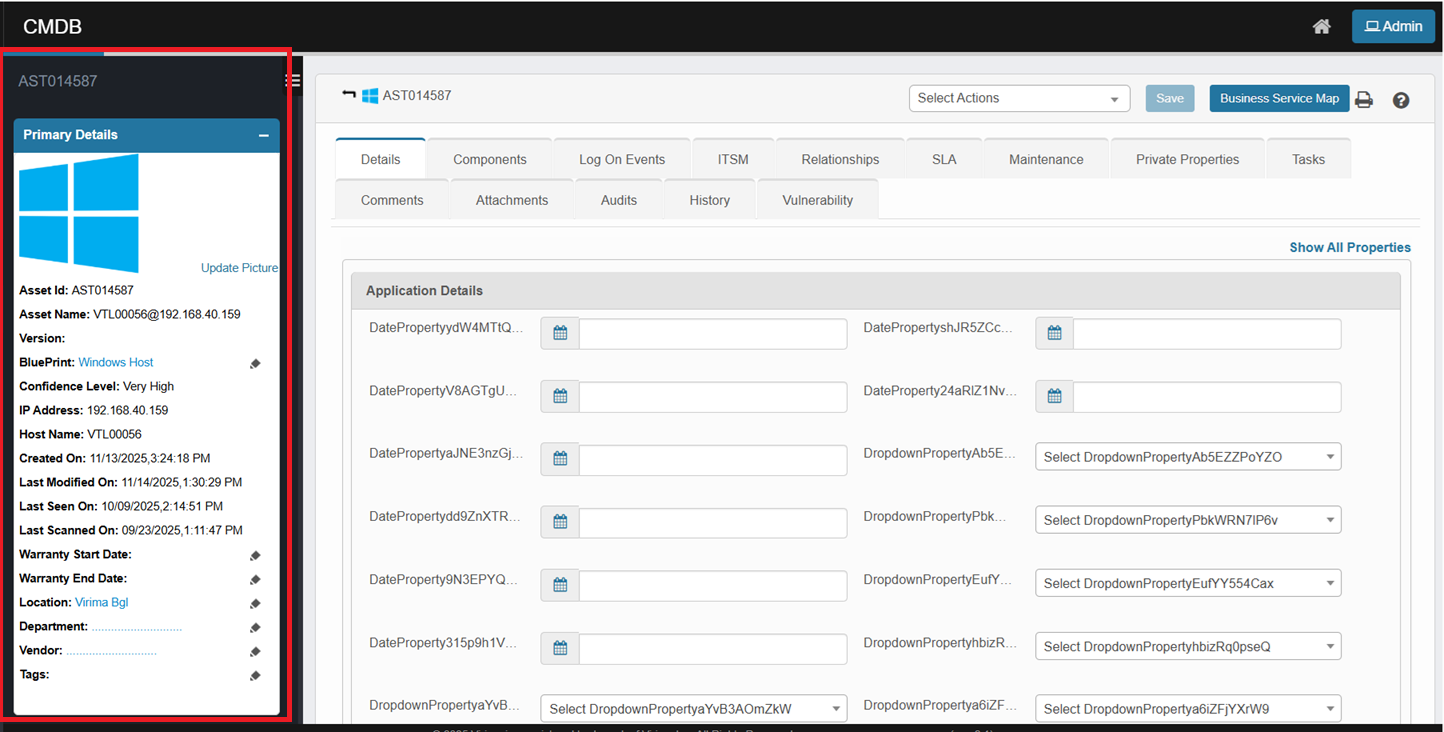
CI Left Panel
The left panel provides quick access details such as:
-
Asset ID & Name
-
Blueprint Type
-
IP Address, Host Name
-
Scan & Modification Timestamps
-
Confidence Level
-
Warranty, Vendor, and Location Info
This section offers a summary of the CI’s profile for quick validation.
How to Update:
Use one of the following methods:
-
Click a blue hyperlink (e.g., Windows Host) to open the function view.
-
Click the ✎ pencil icon next to a field to edit. Enter the updated information and click Save.
Note: The availability of editable fields may vary based on the blueprint type or user permissions.