Audits
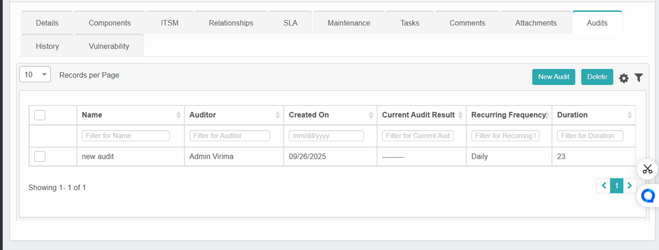
The Audits tab in the CMDB allows users to define and manage audit schedules for Configuration Items (CIs). Audits ensure the integrity and accuracy of CI data through periodic checks.
-
Click on New Audit to add new audit.
-
Enter the details, then click Add to save the new audit.
-
Select one audit and click Delete to delete the audit.
Key functionalities:
-
Audit name: Assign a meaningful label to indicate the audit's purpose (e.g., "detail check," "OS validation").
-
Add description: Describe the audit's scope or objective.
-
Assign auditor: Designate a user responsible for executing or reviewing the audit. Multiple users can be assigned.
-
Set recurring frequency: Choose how often the audit should recur (daily, weekly, monthly, etc.).
-
Duration (in days): Specify the audit's validity duration or completion window.
Example scenario:
For an audit named “detail check”:
-
It will run daily.
-
It has a duration of 7 days.
-
The assigned auditor is Auditor Name.
-
The audit's description is "check details."
This setup enables timely verification of asset configurations and promotes regular CI hygiene practices.