Access CMDB
-
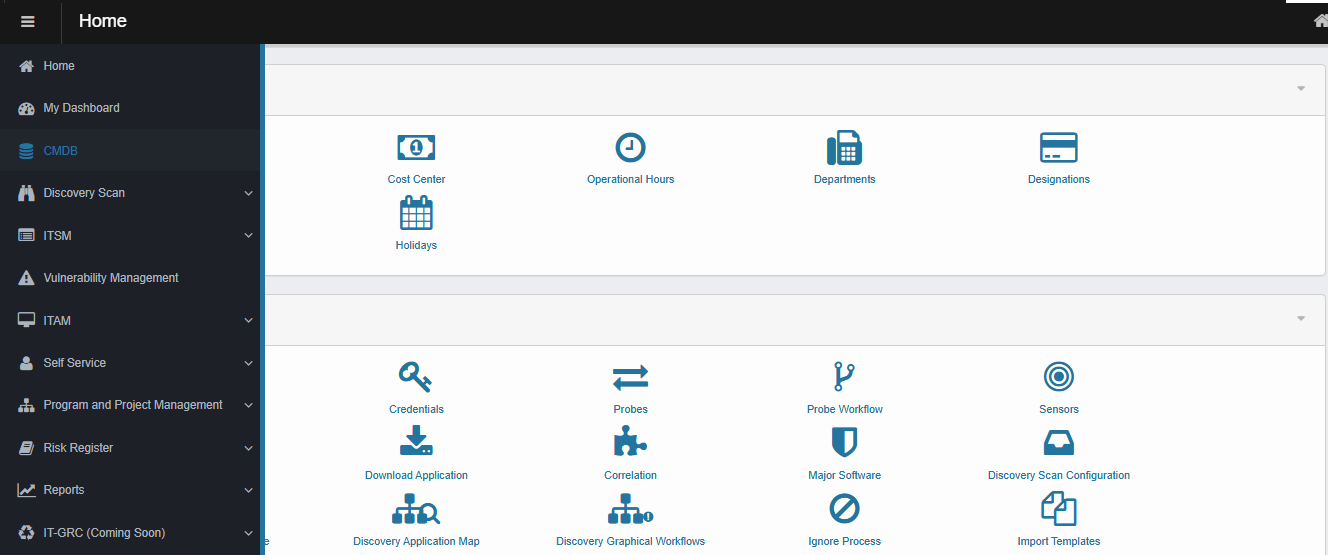
From the left navigation, Click CMDB.
-
This section provides access to the Configuration Management Database, where you can view, manage, and update configuration items and their relationships.
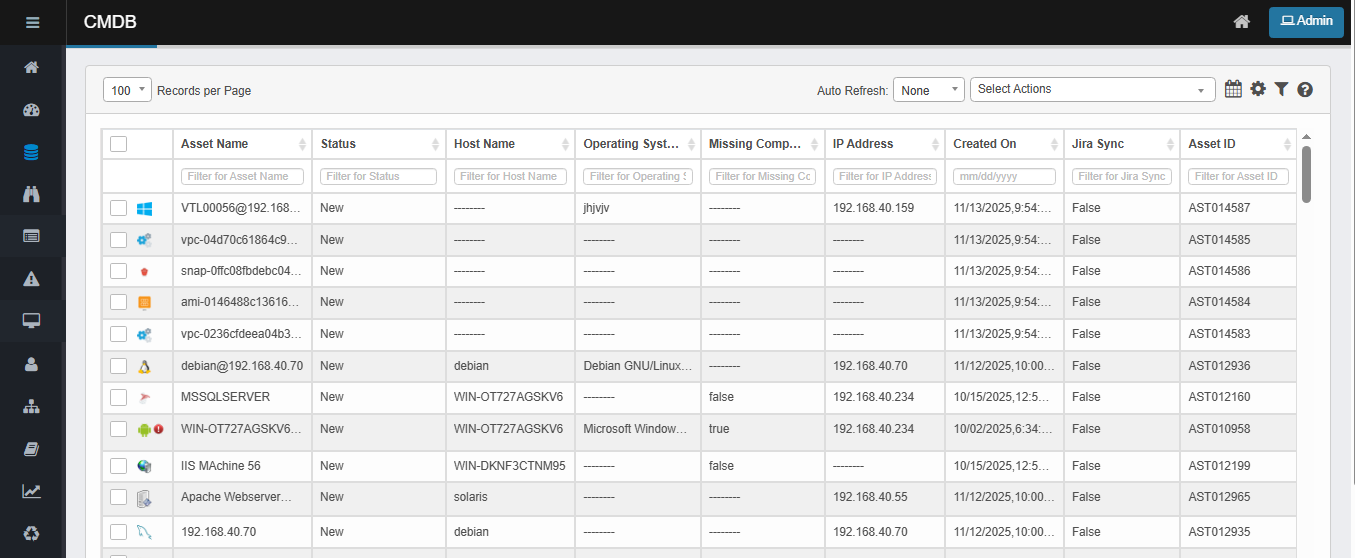
Virima CMDB Column Details
|
Column Name |
Short Description |
|
Blueprint Name |
CI type or template (e.g., Windows Server, Network Device) that defines available properties. |
|
Asset Name |
Name for easy identification of the asset. |
|
Status |
Current state of the CI (e.g., New, Proposed, Ordered, Purchased). |
|
Asset ID |
Unique identifier for the CI within the CMDB. |
|
Host Name |
Network host name (DNS/NetBIOS) of the asset. |
|
Operating System |
OS installed on the asset (e.g., Windows 10). |
|
Missing Components |
Indicates if the CI has Missing Components (e.g., true/false). |
|
IP Address |
Primary IP address assigned to the asset. |
|
Created On |
Date and time when the CI was added to the CMDB. |
|
Jira Sync |
Indicates if the CI has been synced with Jira (e.g., true/false). |