Software Usage Report
Use this function to view software usage metric information for a software deemed a “Major Software.”
|
1.
|
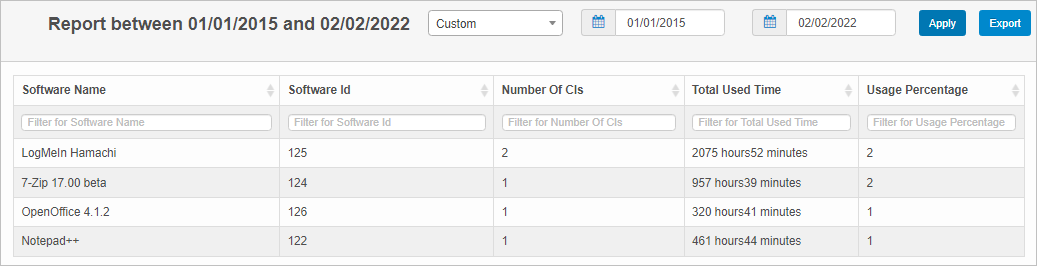
In the main window, click Admin > SACM > Software Usage Report. The Report window displays. |
|
2.
|
From the drop-down list, select a predefined time period (for example, last 30 days) or specific a custom date range. When entering a custom date range, enter the from and to dates, then click Apply. |
|
3.
|
To change the report duration, click the drop-down list and select or specify a different time period. After you make a selection, the list updates. |
|
4.
|
To view additional information for the report, click the line item. The window updates and more information about the report is shown, including a link to the corresponding configuration item. |
|
5.
|
To export the report, click Export. The Export Confirmation window displays. |