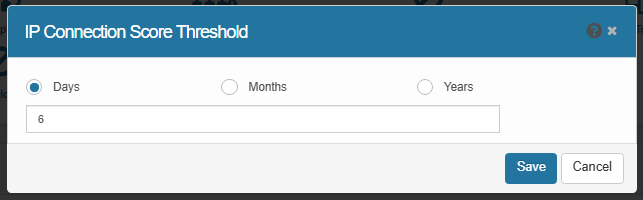
IP Connection Score Threshold
The IP Connection Score Threshold feature helps administrators automatically manage and clean up outdated “Communicates With” relationships between assets. By setting a time-based threshold—defined in days, months, or years—the system ensures that only active and relevant communication links are retained, while stale connections are automatically removed during scans or cleanup processes.
|
1.
|
In the main window, click Admin > SACM > IP Connection Score Threshold. The IP Connection Score Threshold displays. |
|
2.
|
Enter the numeric value for the threshold. |
|
3.
|
When all entries are made, click Save. |