Duplicates Remediation
Use this function to view duplicate CIs present in the application.
|
1.
|
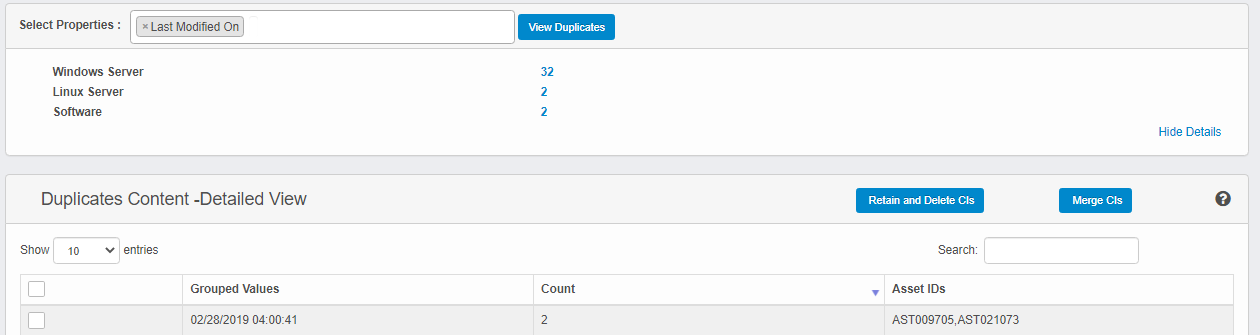
In the main window, click Admin > SACM > Duplicates Remediation. The Duplicates Remediation window displays. |
|
2.
|
In the Select Properties field, click the drop-down list arrow and select the applicable property(ies). |
|
3.
|
Click View Duplicates. A list of all matching items and the number of duplicates is shown. |
|
4.
|
To view the details for a specific item, click the number hyperlink. |
|
5.
|
Click All Details to view all the details for the duplications (Grouped Values, Count, and Asset IDs). |
|
6.
|
Click Hide Details to close the details information. |
|
7.
|
To merge different CI contents in a single CI and delete the others, select the required CIs, then click Retain and Delete CIs. |
|
8.
|
To merge the content of existing CIs marked as duplicates, click the line item, then click Merge CIs. |