ServiceNow Mappings
Use this function to view and add ServiceNow Property mapping information.
In the main window, click Admin > Integrations > ServiceNow Mappings . The Service Now Mapping window displays.

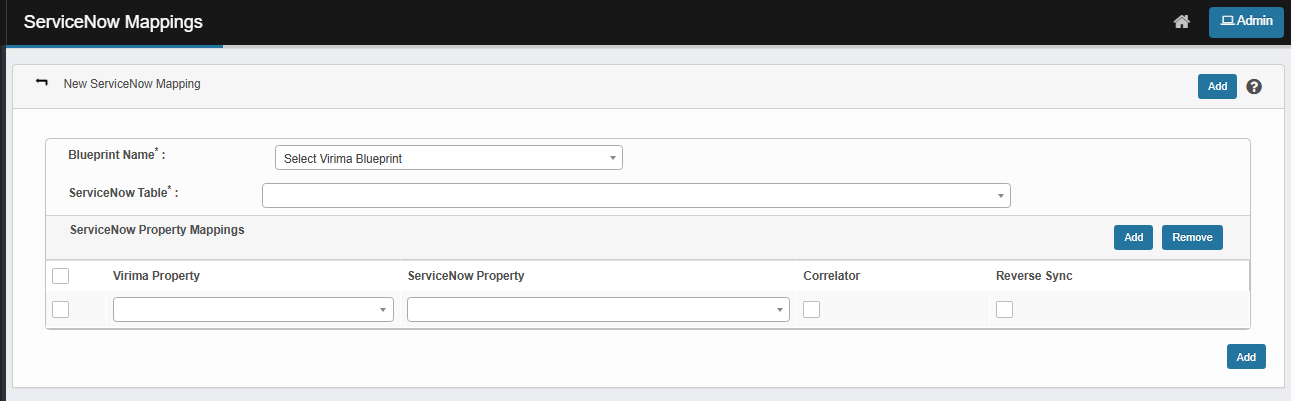
 New ServiceNow Mapping
|
1.
|
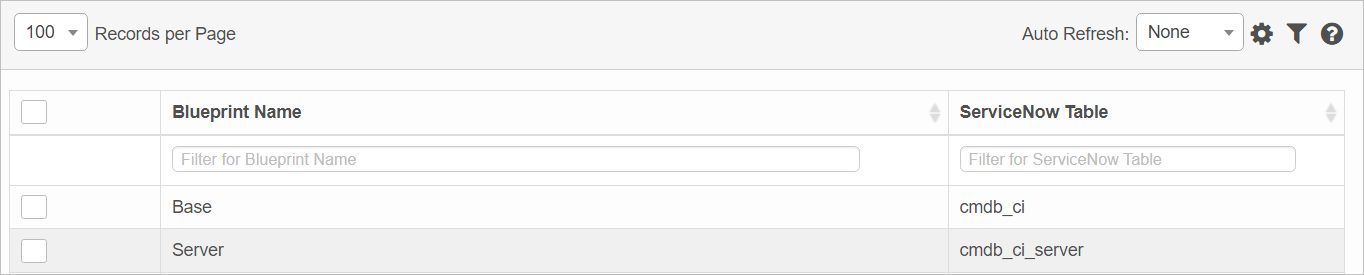
In the main window, select the applicable record. The mappings window displays. |
|
2.
|
Choose a Virima Blueprint (e.g., Windows Server, Linux Server). This determines which CI type the mapping applies to. |
|
3.
|
Pick the ServiceNow Table where the CI data should be stored. |
|
4.
|
In the ServiceNow Property Mappings section, click Add. A new line is added at the bottom of the list. |
|
5.
|
Click the drop-down list in both the Virima Property and ServiceNow Property fields, selecting the relevant items to map. |
|
6.
|
Enable Correlator, If needed, check the Correlator box for properties used to uniquely identify records. |
|
7.
|
Enable Reverse Sync, If needed, check the Reverse Sync box to copy mapped property values from ServiceNow back to Virima. |
Edit ServiceNow Mapping
|
1.
|
In the main window, select the applicable record. The mappings window displays, and contains a list of all current property mappings. |
|
2.
|
Hover over the line item containing the mapping to edit. |
|
3.
|
Make the necessary changes in the ServiceNow Property field. |
|
4.
|
When all selections/entries are made, click Save. |
Remove ServiceNow Mapping
|
1.
|
In the main window, select the applicable record. The mappings window displays, and contains a list of all current property mappings. |
|
2.
|
Select the applicable mapping and click Remove. |
Delete ServiceNow Mapping
| |
Deleting is a permanent action and cannot be undone. Deleting may affect other functionality and information in the application such as data in configured reports, fields in windows, selectable options, etc. Therefore, be sure to understand the potential effects before making a deletion. |
|
1.
|
Click the line that contains the item to delete. |
|
2.
|
From the Select Actions drop-down list, choose Delete. If a confirmation message is displayed, type Delete and click Deleteto confirm. |
Other Functions and Page Elements