Change State Workflow
Use this function to create a workflow. This builds series of predefined stages that a change goes through during its life cycle. By associating a change workflow with a change, the process if quicker and eliminates the need for a role with relevant access to manually change the stage/state.
Once a Change Workflow is associated to a change, the stage/state of the change is automatically made and set in the workflow, and the relevant roles are notified.
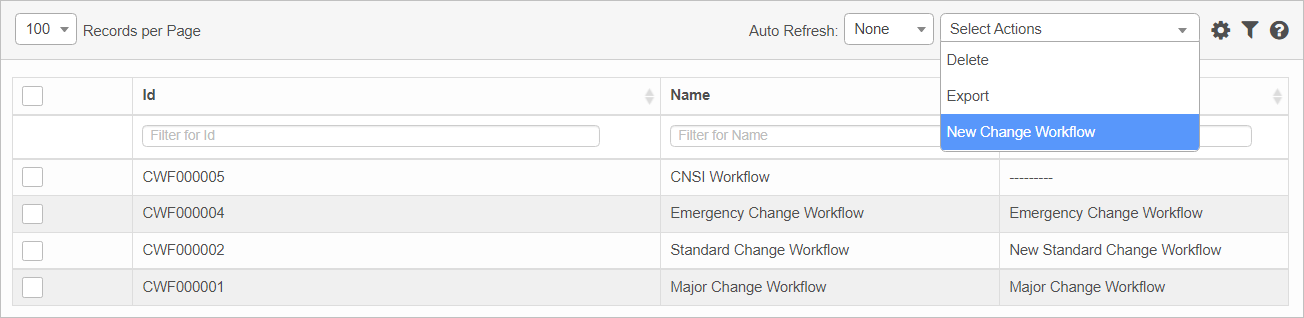
In the main window, click Admin > Change Management > Change State Workflow. The Change State Workflow window displays.

 New Change State Workflow
|
1.
|
From the Select Actions drop-down list, choose New Change Workflow. Change State Workflow window displays |
|
2.
|
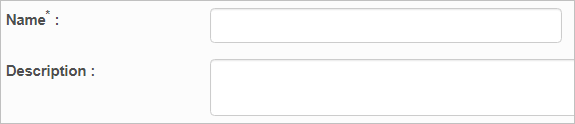
Enter a Name and Description for this workflow. |
|
4.
|
Continue with the steps under Workflow Details below. |
Workflow Details
To specify the details of the workflow, you must edit the workflow just created.
|
1.
|
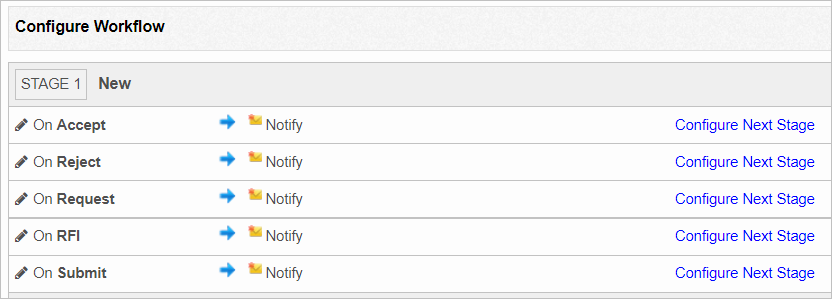
In the main window, select the workflow just created. The window displays a list of pre-configured workflows. |
|
2.
|
To change an existing item, click the pencil icon. The line expands and contains additional fields. |
|
3.
|
Click Add below Notify and select the desired roles to whom a notification email is sent about the stage change. |
|
4.
|
Under Move to Stage and Stage, click the drop-down list, and select the relevant stage and state. |
|
5.
|
Click Save. The selections/entries are saved. |
|
6.
|
To notify a role while moving the stage and states: |
|
a.
|
Click the pencil icon to display the fields. |
|
b.
|
In the second Notify field, click Add. |
|
7.
|
When all selections/entries are made, move to the bottom of the window and click Add. |
Edit Change State Workflow
| |
Not all functions include an option to edit record line items shown in the main window. |
|
1.
|
Navigate to the window containing the record to edit. |
|
2.
|
Click the line containing the record. The applicable window or dialog box displays. |
|
3.
|
Make the necessary modifications. |
|
4.
|
Click Save or Add, as applicable. |
Delete Change State Workflow
| |
Deleting is a permanent action and cannot be undone. Deleting may affect other functionality and information in the application such as data in configured reports, fields in windows, selectable options, etc. Therefore, be sure to understand the potential effects before making a deletion. |
|
1.
|
Click the line that contains the item to delete. |
|
2.
|
From the Select Actions drop-down list, choose Delete. If a confirmation message is displayed, type Delete and click Deleteto confirm. |
Other Functions and Page Elements